
Drawing Shapes Using Coordinates
Loading the math board and drawing, please wait…
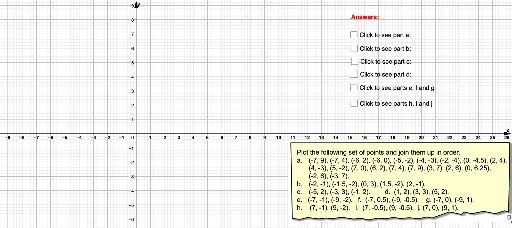
This example demonstrates the use of coordinates to draw various shapes. It covers basic concepts in coordinate geometry, such as points, line segments, and polygons. Using GeoGebra commands like Segment and Polygon, complex geometric shapes can be constructed. Suitable for middle school and above students to learn coordinate geometry and geometric construction.
GeoGebra Commands & Parameters
Segment(T, U) → fSegment(A_1, U) → gSegment(A_1, Z) → hSegment(Z, C) → iSegment(C, E_1) → jSegment(D, E_1) → kSegment(D, I_1) → lSegment(I_1, E) → mSegment(E, F) → nSegment(F, G) → pSegment(G, H) → qSegment(H, I) → rSegment(I, J) → sSegment(J, K) → tSegment(K, L) → aSegment(L, M) → bSegment(M, N) → cSegment(N, O) → dSegment(O, P) → eSegment(P, H_1) → f_1Segment(H_1, G_1) → g_1Segment(G_1, F_1) → h_1Segment(F_1, D_1) → i_1Segment(D_1, C_1) → j_1Segment(C_1, B_1) → k_1Segment(B_1, S) → l_1Segment(S, T) → m_1Segment(V_1, W_1) → r_1Segment(W_1, Z_1) → s_1Segment(Z_1, A_2) → t_1Segment(A_2, B_2) → a_1Segment(C_2, D_2) → b_1Segment(D_2, E_2) → c_1Segment(F_2, G_2) → d_1Segment(G_2, H_2) → e_1Segment(N_1, O_1) → f_2Segment(L_1, M_1) → g_2Segment(J_1, K_1) → h_2Segment(P_1, Q_1) → i_2Segment(R_1, S_1) → j_2Segment(T_1, U_1) → k_2Polygon(C, E_1, K, L, M, N, O, P, H_1, G_1, F_1, D_1, D, C_1, B_1, S, T, U, A_1, Z, I_1, E, F, G, H, I, J) → poly1, c_2, j_3, k_3, l_2, m_2, n_1, o, p_1, h_4, g_4, f_4, e_2, d_3, c_3, b_2, s_2, t_2, u, a_2, z_1, d_2, i_3, e_3, f_3, g_3, h_3, i_4Segment(L_1, J_1) → n_2
AI Drawing Prompt Reference
Draw various shapes using coordinates, including points and line segments, to demonstrate how to connect multiple points to form polygons. First, draw several line segments connecting the points, then close them to form a complex polygon, and finally combine all the line segments and polygons to create a complete geometric figure.
The prompt above was compiled from the original drawing commands and is for reference only.