
Drawing an Elephant with Four Parameters
Loading the math board and drawing, please wait…
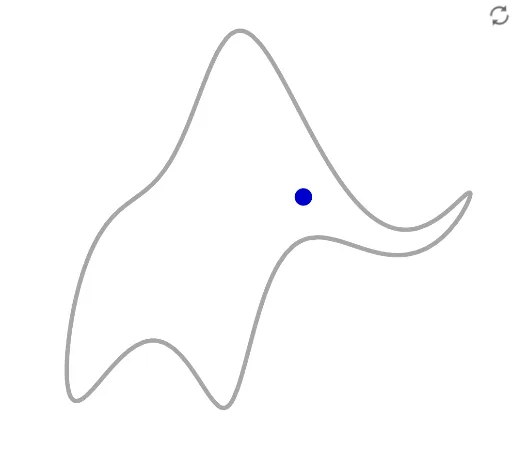
This example demonstrates how to draw an elephant using GeoGebra with four parameters. Core mathematical concepts involved include complex numbers, functions, sine functions, parallelograms, pyramids, and roots. Key construction points utilize GeoGebra commands such as Sum (sum) and CurveCartesian (Cartesian curve), along with objects like n, B5, B4, B3, B2, B1, A5, A4, A3, A2, A1, Ax, t, Bx, button1, r, Eye, param, Ay, fourierX, By, fourierY, elephant, speed, a, b, np, WEye. Suitable for high school and above, it can be used to learn parametric equations, complex number applications, and function graphing.
GeoGebra Commands & Parameters
Sum(Sequence[(Element[Ax, k] * cos((k * x))) + (Element[Bx, k] * sin((k * x))), k, 1, n]) → fourierXSum(Sequence[(Element[Ay, k] * cos((k * x))) + (Element[By, k] * sin((k * x))), k, 1, n]) → fourierYCurveCartesian(fourierY(t), (-fourierX(t)), t, 0, (2 * π)) → elephant