
Drag the Matching Solid Shape
Loading the math board and drawing, please wait…
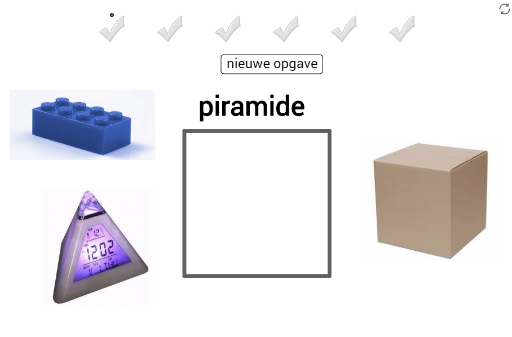
① This interactive drag-and-drop exercise asks students to identify the solid whose shape matches a displayed name (e.g., cube, prism, pyramid) and drag it into a grey target box. ② Core math concepts include recognition and classification of basic polyhedra (cube, prism, pyramid) and plane figures (ellipse), with additional exposure to stochastic processes (random selection), continuity, and tangent functions. ③ Construction highlights: using GeoGebra commands such as Polygon to create polygonal bases, Midpoint for midpoints, and Vector for constructing 3D-like visuals; objects include multiple polygons (poly1), points (A, B, C, D, etc.), text labels (text1, text2, etc.), and images (pic1, pic2, etc.), with interactive dragging logic. ④ Suitable for upper elementary to middle school students for solid geometry recognition, as an interactive classroom game or self-study tool to strengthen spatial visualization and classification skills.
GeoGebra Commands & Parameters
Polygon(A, B, 4) → poly1, f, g, h, i, C, DMidpoint(E, Corner[pic1, 3]) → Q_1Midpoint(A_1, Corner[pic11, 3]) → R_1Midpoint(W, Corner[pic10, 3]) → S_1Midpoint(S, Corner[pic8, 3]) → T_1Midpoint(G_1, Corner[pic14, 3]) → U_1Midpoint(G, Corner[pic3, 3]) → V_1Midpoint(E_1, Corner[pic13, 3]) → W_1Midpoint(U, Corner[pic9, 3]) → Z_1Midpoint(I_1, Corner[pic15, 3]) → A_2Midpoint(M, Corner[pic2, 3]) → B_2Midpoint(O, Corner[pic6, 3]) → C_2Midpoint(K, Corner[pic5, 3]) → D_2Midpoint(C_1, Corner[pic12, 3]) → E_2Midpoint(Q, Corner[pic7, 3]) → F_2Midpoint(I_3, Corner[pic20, 3]) → S_3Midpoint(K_3, Corner[pic21, 3]) → T_3Midpoint(Q_3, Corner[pic22, 3]) → U_3Midpoint(I, Corner[pic4, 3]) → V_3Vector(J_2, K_2) → u
AI Drawing Prompt Reference
Create an interactive geometry practice scene: a grey target box in the center, with various solid shapes (cube, prism, pyramid) and a plane figure (ellipse) scattered around, each labeled with its name. Shapes are built from polygonal bases and vertices, with some using midpoints for auxiliary lines to suggest 3D form. Users drag each shape to the target box based on its name. Layout is clear, colors distinguish shapes, suitable for student recognition and classification.
The prompt above was compiled from the original drawing commands and is for reference only.