
Double Pendulum Model: Dynamic Geometry and Function Analysis
Loading the math board and drawing, please wait…
In collections
Pendulum simulations
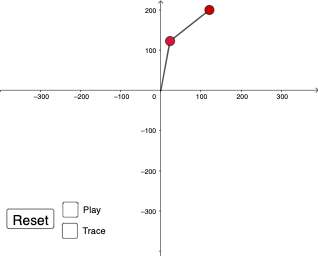
The double pendulum model demonstrates the complex motion of two pendulums under gravity, involving trigonometric functions, function graphs, and dynamic geometry construction. Key construction steps include using GeoGebra commands such as Segment, time, button1 to build pendulums, time axis, and animation effects. This example is suitable for high school or undergraduate students to learn the integration of physics and mathematics, applicable to geometric construction, function graph analysis, and dynamic demonstration teaching.
GeoGebra Commands & Parameters
Segment((0, 0), (x1, y1)) → l1Segment((x1, y1), (x2, y2)) → l2
AI Drawing Prompt Reference
In a coordinate plane, construct a polyline made of two connected straight segments. Start by drawing a segment from the origin (0,0) to a first point (x1, y1), then extend the same figure by drawing a second segment from that first point (x1, y1) to a second point (x2, y2). The two segments should be contiguous, sharing the middle point, forming a simple two-part broken line suitable for later function and geometry analysis.
The prompt above was compiled from the original drawing commands and is for reference only.