
Distributive Property Open-Middle Theme: Algebra as Geometry
Loading the math board and drawing, please wait…
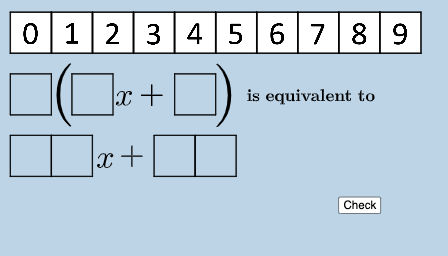
This GeoGebra example visualizes the distributive property by turning algebraic expressions into a “puzzle-like” geometry composition. Learners see an equation’s equivalence emerge when the figure is partitioned into meaningful regions (e.g., blocks whose areas/lengths correspond to terms) and then recombined in an alternate way, matching different algebraic expansions. Key concepts include the distributive property, factoring/expanding relationships, and the way linear-style algebra can be interpreted geometrically through consistent region/term correspondence. Construction is driven by: Polygon to build the partitioned regions; FractionText and Textfield to display fractional or symbolic expressions; If to conditionally control what is shown for different cases; RandomElement to generate variant configurations; and Factors plus Sequence to produce the factor sets and parameter sequences that feed the expression and labels. The model uses many geometric objects (polygons like poly0/poly3/poly7 and multiple labeled points/objects) to assemble the “open middle” theme and to keep the visual structure aligned with the algebraic terms. Suitable for middle and high school algebra instruction, classroom demonstrations, and math-to-geometry reasoning activities.
GeoGebra Commands & Parameters
Polygon(A0, B, 4) → poly0, f, g, h, i, A, CPolygon(A3, H, 4) → poly3, j, k, l, m, E, GPolygon(A7, P, 4) → poly7, n, p, q, r, I, KPolygon(A1, D, 4) → poly1, s, t, a, b, M, OPolygon(A6, N, 4) → poly6, c, d, e, f_1, Q, SPolygon(A2, H2, 4) → poly2, k_1, l_1, m_1, n_1, W, ZPolygon(A8, A8 + (2, 0), 4) → poly8, g_1, h_1, i_1, j_1, U, VPolygon(A9, T, 4) → poly9, p_1, q_1, r_1, s_1, A_1, B_1Polygon(A4, J, 4) → poly4, t_1, a_1, b_1, c_1, C_1, D_1Polygon(A5, L, 4) → poly5, d_1, e_1, f_2, g_2, E_1, F_1Polygon(K_1, L_1, 4) → poly10, l_2, m_2, n_2, p_2, M_1, N_1Polygon(O_1, P_1, 4) → poly12, q_2, r_2, s_2, t_2, Q_1, R_1Polygon(S_1, T_1, 4) → poly13, a_2, b_2, c_2, d_2, U_1, V_1Polygon(C_2, D_2, 4) → poly15, i_3, j_3, k_3, l_3, E_2, F_2Polygon(G_2, H_2, 4) → poly16, m_3, n_3, p_3, q_3, I_2, J_2Polygon(G_{3}, H_{3}, 4) → poly17, m_{4}, n_{4}, p_{4}, q_{4}, I_{3}, J_{3}Polygon(C_{3}, D_{3}, 4) → poly14, i_{4}, j_{4}, k_{4}, l_{4}, E_{3}, F_{3}FractionText(u) → text4If(aleft > aright, "Left side is bigger.", aleft < aright, "Right side is bigger", "Both sides are equal!") → text9Textfield(w) → InputBox1If(o_1 < 0, "less than", o_1 > 0, "greater than", o_1 ≟ 0, "equal to") → text12RandomElement(l1) → oFactors(o) → m1RandomElement(m1) → l2, {2, 2}RandomElement(l2) → w_1Sequence((w_1 * i), i, 2, 12, 1) → l3RandomElement(l3) → e_2Sequence((o * i), i, 2, 12, 1) → l4RandomElement(l4) → i_2
AI Drawing Prompt Reference
Create a geometric puzzle composed of multiple squares, each divided into four smaller regions, visualizing the distributive property of algebra. The figure includes several groups of squares, each representing an algebraic term, with colored areas and labels showing the equivalence of both sides of an equation. Construct by drawing multiple squares, partitioning each into four sections with lines, and labeling them with numbers or expressions. Add a text input box below to enter variable values, and display a message comparing the sizes of the left and right sides. The layout is symmetric, emphasizing the correspondence between geometry and algebra for instructional purposes.
The prompt above was compiled from the original drawing commands and is for reference only.