
Disk Method for Volume
Loading the math board and drawing, please wait…
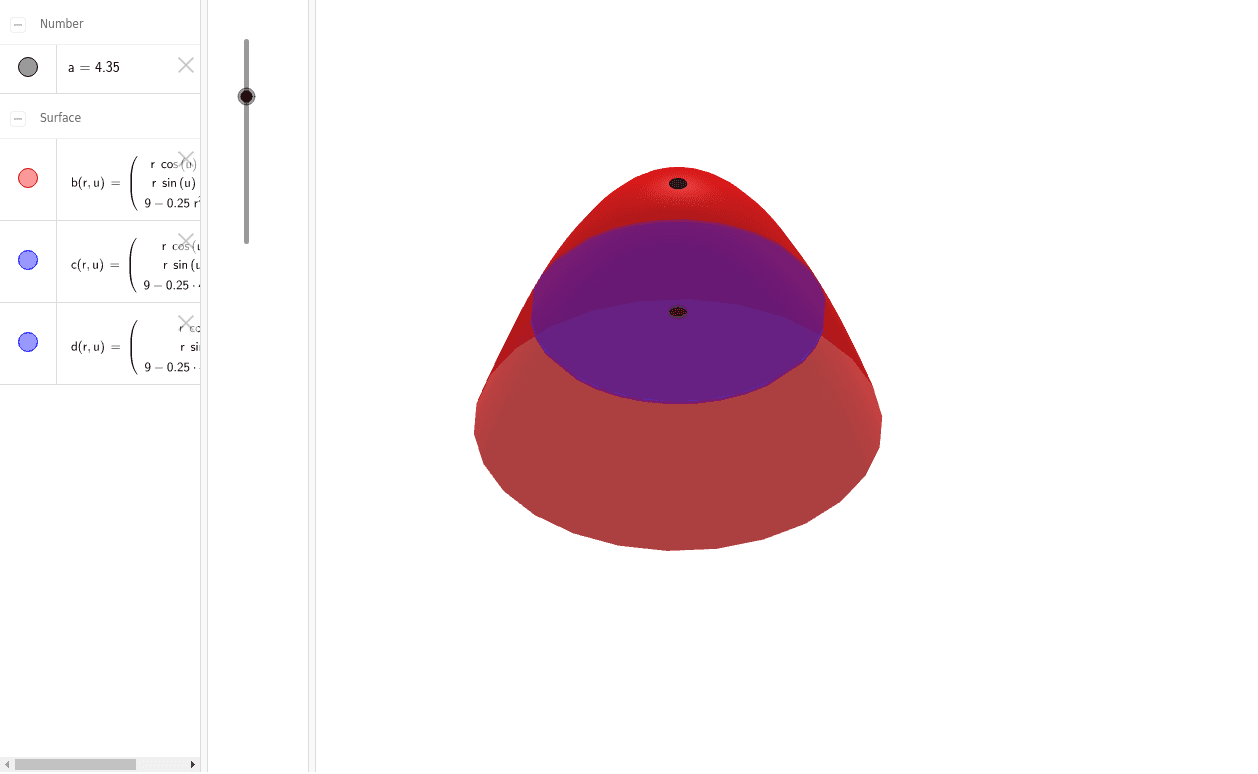
This example demonstrates the calculation of solid volume using the disk method in calculus. It involves core concepts like integration, the disk method for rotating functions, and function graphing. Constructed with GeoGebra commands Surface and objects a, b, c, d representing the rotation interval and function parameters. Suitable for high school and above students learning volume calculation techniques.
GeoGebra Commands & Parameters
Surface((r * cos(u)), (r * sin(u)), 9 - (0.25 * r^(2)), r, 0, 6, u, 0, 6.28319) → bSurface((r * cos(u)), (r * sin(u)), 9 - (0.25 * a^(2)), r, 0, a, u, 0, 6.28319) → cSurface((r * cos(u)), (r * sin(u)), 9 - (0.25 * a^(2)) - 0.1, r, 0, a, u, 0, 6.28319) → d
AI Drawing Prompt Reference
Draw a 3D solid of revolution illustrating the disk method for volume. The main surface is formed by rotating the parabola z = 9 - 0.25r² around the z-axis, where r is the radial distance, with r ranging from 0 to 6 and the angle from 0 to 2π. Additionally, within a smaller radius range from 0 to a parameter a, create two identical rotated surfaces, one of which is shifted downward by 0.1 units along the z-axis to represent a thin disk. The overall figure should show the complete solid and a local disk slice to visualize the integration concept.
The prompt above was compiled from the original drawing commands and is for reference only.