
Volume Calculation Using Cylindrical Shell Method
Loading the math board and drawing, please wait…
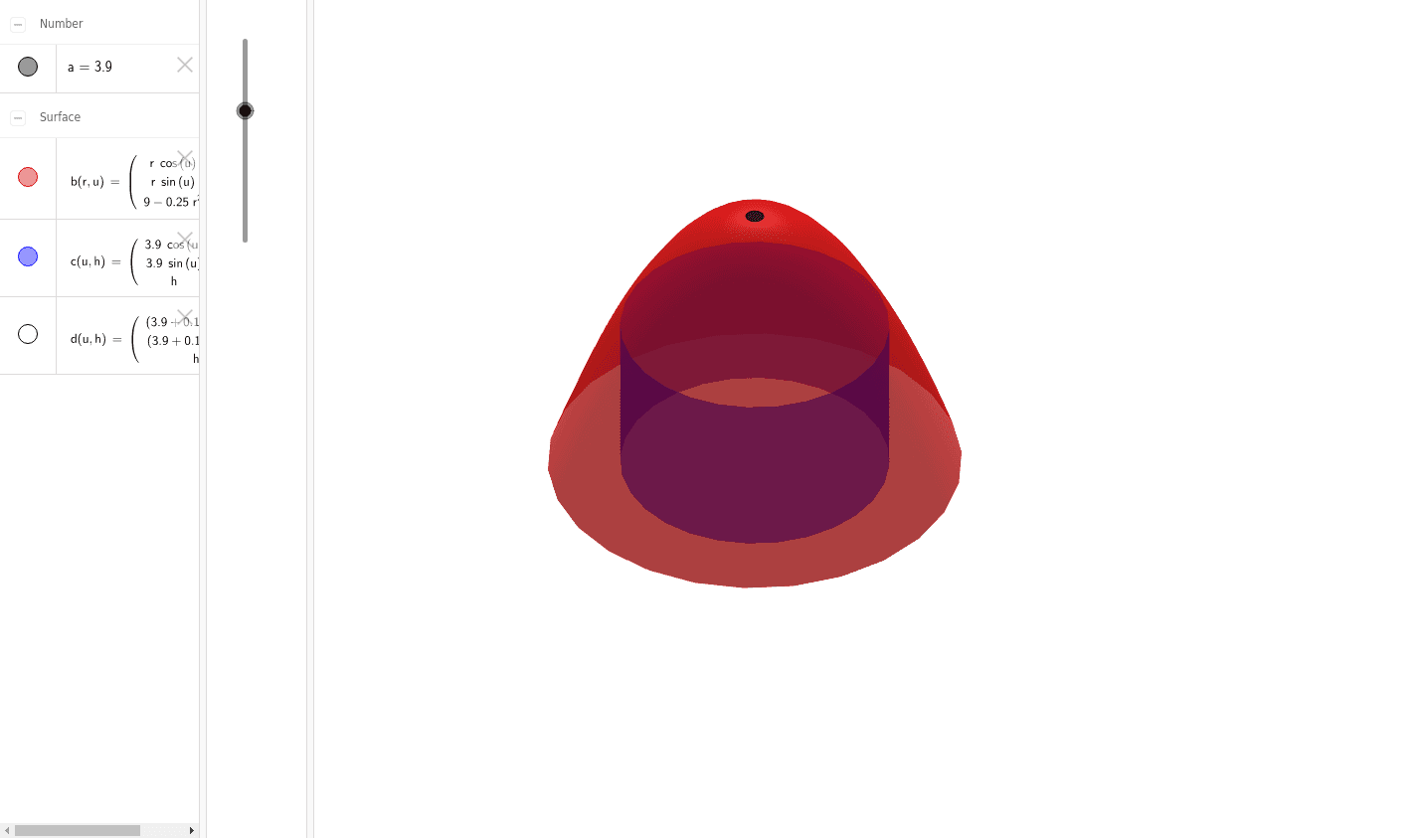
This example demonstrates the cylindrical shell method for calculating the volume of a solid of revolution. Key mathematical concepts include integration and solid geometry. Users can dynamically adjust parameters using the Surface command to observe changes in volume.
GeoGebra Commands & Parameters
Surface((r * cos(u)), (r * sin(u)), 9 - (0.25 * r^(2)), r, 0, 6, u, 0, 6.28319) → bSurface(((a + 0.1) * cos(u)), ((a + 0.1) * sin(u)), h, u, 0, 6.28319, h, 0, 9 - (0.25 * (a + 0.1)^(2))) → dSurface((a * cos(u)), (a * sin(u)), h, u, 0, 6.28319, h, 0, 9 - (0.25 * (a + 0.1)^(2))) → c
AI Drawing Prompt Reference
Draw a graph demonstrating the cylindrical shell method for calculating the volume of a solid of revolution. First, draw a cylindrical shell with radius 6 and height 9-0.25r^2. Then, draw another cylindrical shell with radius a+0.1 and height 9-0.25(a+0.1)^2. Finally, draw a third cylindrical shell with radius a and the same height 9-0.25(a+0.1)^2. Adjust parameter a to observe the effect on volume.
The prompt above was compiled from the original drawing commands and is for reference only.