
Directional Derivative
Loading the math board and drawing, please wait…
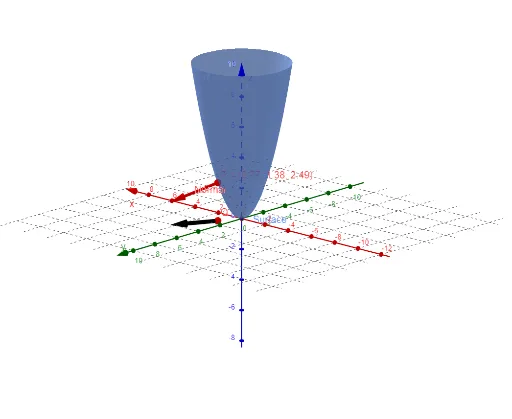
This example illustrates the concept of directional derivative. By combining vectors and functions, it shows how to calculate the rate of change of a function at a point in a specific direction. The construction uses commands like Derivative and Vector in GeoGebra. Suitable for students and teachers in calculus courses.
GeoGebra Commands & Parameters
Derivative(f, x) → fxDerivative(f, y) → fyVector((l, m)) → GradfVector((a, b, Output), (a + l, b + m, Output - 1)) → V1Vector((a, b), (a + l, b + m)) → U1
AI Drawing Prompt Reference
Create a 3D surface plot of a two-variable function to illustrate the concept of directional derivative. Mark a point on the surface, then draw a tangent line at that point along a specified direction. Show the projection of this direction onto the base plane as an arrow. From the same point, draw a gradient vector pointing in the direction of steepest ascent. Finally, connect the surface point to its projection with a vertical arrow to indicate the rate of change. The composition should clearly display the surface, tangent vector, gradient vector, and direction vector.
The prompt above was compiled from the original drawing commands and is for reference only.