
Normal to the Surface
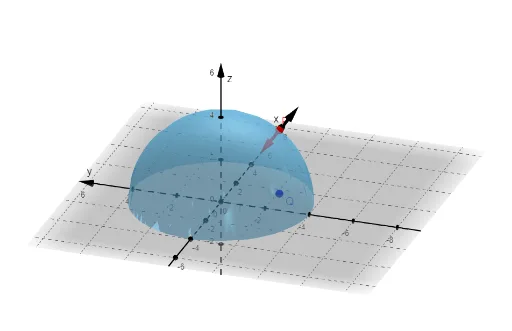
Loading the math board and drawing, please wait…
This example demonstrates the construction of normal vectors to surfaces and optimization problems. Key mathematical concepts include vector analysis, calculus derivatives, and optimization principles. The construction involves using GeoGebra commands like Derivative and Vector with objects such as f, fx, fy, l, m, Q, a, b, u, n, P, v, w, r to parameterize surfaces and compute normal vectors. Suitable for high school students or college undergraduates learning surface geometry and optimization methods, useful for mathematical modeling and geometric analysis.
GeoGebra Commands & Parameters
Derivative(f(x, y), x) → fxDerivative(f(x, y), y) → fyVector((a, b)) → uVector((l, m, 0), (l - a, m - b, 0)) → vVector((l, m, n), (l + a, m + b, n - 1)) → wVector((l, m, n), (l - a, m - b, n + 1)) → r
AI Drawing Prompt Reference
Draw a surface defined by a function of two variables and focus on its local geometry at a parameter point. Compute the partial derivatives with respect to x and y to obtain quantities fx and fy that relate to the surface’s tangent directions. Use a given point (a,b) to create a 2D vector u. Extend the construction into 3D by combining the point (a,b) with another parameter pair (l,m) to form vectors v, w, and r from corresponding start points to end points defined by those parameters. Keep v in the plane z=0, while w and r use different z offsets so the resulting 3D vectors represent distinct directions that are used to illustrate normal-related geometry and optimization context around the same parameter location.
The prompt above was compiled from the original drawing commands and is for reference only.