
Directed Number Multiplication
Loading the math board and drawing, please wait…
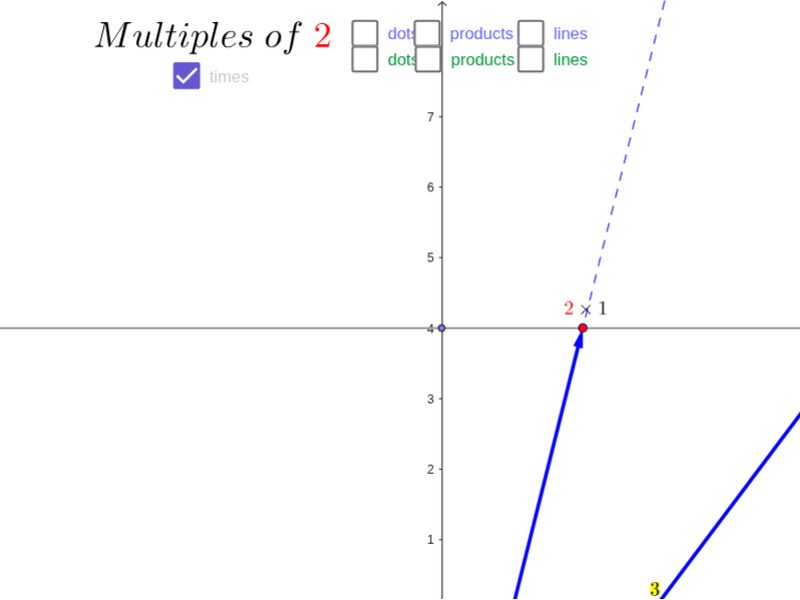
This example demonstrates multiplication of positive and negative numbers on a number line. It involves core math concepts like number line, directed distance, and multiplication rules. Constructed using GeoGebra commands such as Point, Line, Intersect, and Vector. Suitable for middle school mathematics teaching to help students visually understand the geometric meaning of directed number multiplication.
GeoGebra Commands & Parameters
Point(yAxis) → ALine(A, xAxis) → aPoint(a) → CLine(C, B) → bIntersect(b, yAxis) → DLine(D, E) → cLine(D, F) → dLine(D, G) → eLine(D, H) → fLine(D, I) → gLine(D, J) → hLine(D, K) → iLine(D, L) → jLine(D, M) → kLine(D, N) → lLine(D, O) → mLine(D, P) → nLine(D, Q) → pLine(D, G_1) → qLine(D, R) → rLine(D, S) → sLine(D, T) → tLine(D, U) → a_1Line(D, V) → b_1Line(D, W) → c_1Line(D, Z) → d_1Line(D, A_1) → e_1Line(D, B_1) → f_1Line(D, C_1) → g_1Line(D, D_1) → h_1Line(D, E_1) → i_1Line(D, F_1) → j_1Point(xAxis) → H_1Line(D, H_1) → l_1Intersect(a, l_1) → I_1Line(C, B) → m_1Vector(B, C) → u_1Vector(H_1, I_1) → v_1
AI Drawing Prompt Reference
Draw a horizontal line as the x-axis and a vertical line as the y-axis in a coordinate system, marking the origin. From the origin, draw a point at a unit distance along the positive x-axis and connect them to form a line segment. From this point, draw several line segments at a 45-degree angle to the x-axis, intersecting the y-axis at a point. From the intersection point, draw multiple equal-length line segments in different directions, each representing the result of a multiplication operation, with arrows indicating direction to show the rules of multiplication for positive and negative numbers.
The prompt above was compiled from the original drawing commands and is for reference only.