
Dice Rolling Simulation
Loading the math board and drawing, please wait…
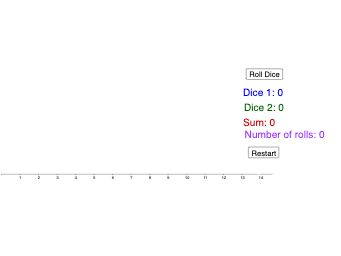
This example demonstrates a dice rolling simulation. Core mathematical concepts include probability and statistics. Using GeoGebra commands such as CountIf, Sequence, and Random, a dice rolling interface is constructed. Suitable for middle school and above students to learn about probability and random events.
GeoGebra Commands & Parameters
CountIf(x ≟ 2, data) → twoCountIf(x ≟ 3, data) → threeCountIf(x ≟ 6, data) → sixCountIf(x ≟ 5, data) → fiveCountIf(x ≟ 4, data) → fourCountIf(x ≟ 7, data) → sevenCountIf(x ≟ 8, data) → eightCountIf(x ≟ 9, data) → nineCountIf(x ≟ 10, data) → tenCountIf(x ≟ 11, data) → elevenCountIf(x ≟ 12, data) → twelveSequence((7, i), i, 1, seven) → list7, {}Sequence((12, i), i, 1, twelve) → list12, {}Sequence((11, i), i, 1, eleven) → list11, {}Sequence((10, i), i, 1, ten) → list10, {}Sequence((9, i), i, 1, nine) → list9, {}Sequence((8, i), i, 1, eight) → list8, {}Sequence((6, i), i, 1, six) → list6, {}Sequence((5, i), i, 1, five) → list5, {}Sequence((4, i), i, 1, four) → list4, {}Sequence((3, i), i, 1, three) → list3, {}Sequence((2, i), i, 1, two) → list2, {}Random(1, 6) → bRandom(1, 6) → aPoint(xAxis) → CPolygon(A, B, C) → t1, c, a_1, b_1Length(data) → numofrollsPolygon(D, E, F, G) → q1, d, e, f, g
AI Drawing Prompt Reference
Create a dice rolling simulation chart. The horizontal axis represents sums from 2 to 12, and the vertical axis shows frequency. For each sum, stack small dots vertically from the bottom, with the number of dots equal to the count of that sum. Also display two dice values and a polygon representing the current roll. The layout includes a data point set and two dice shapes to illustrate probability distribution of random events.
The prompt above was compiled from the original drawing commands and is for reference only.