
Demonstrating Iterated Double Integrals
Loading the math board and drawing, please wait…
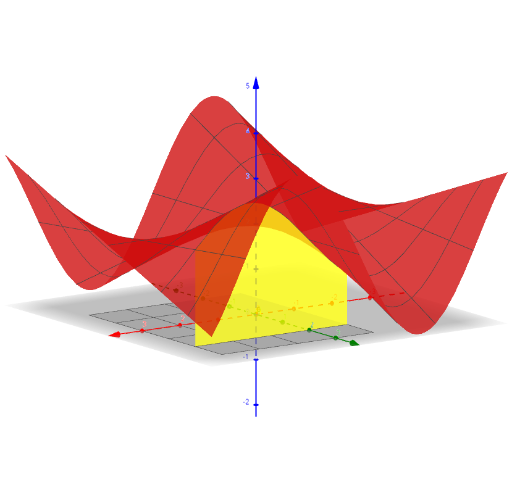
This example illustrates how to construct a 3D surface using iterated double integrals. Key math concepts include integration, surface plotting, and coordinate transformations. Construction highlights involve commands like Textfield, Surface, Slider Animation, and InputBoxes for adjusting integral bounds and parameters. Suitable for high school and above students learning about applications of multiple integrals.
GeoGebra Commands & Parameters
Textfield(a) → InputBox1Textfield(b) → InputBox2Textfield(c) → InputBox3Textfield(d) → InputBox4Surface(x_0, s, (t * f(x_0, s)), s, c, d, t, 0, 1) → gSurface(s, y_0, (t * f(s, y_0)), s, a, b, t, 0, 1) → h
AI Drawing Prompt Reference
Create a 3D surface plot to demonstrate the construction using iterated double integrals, with input boxes for setting integral bounds and parameters, and slider animations to adjust parameters, showing two different surfaces to illustrate the integral transformation process.
The prompt above was compiled from the original drawing commands and is for reference only.