
Cylinder Optimization: Minimum Surface Area
Loading the math board and drawing, please wait…
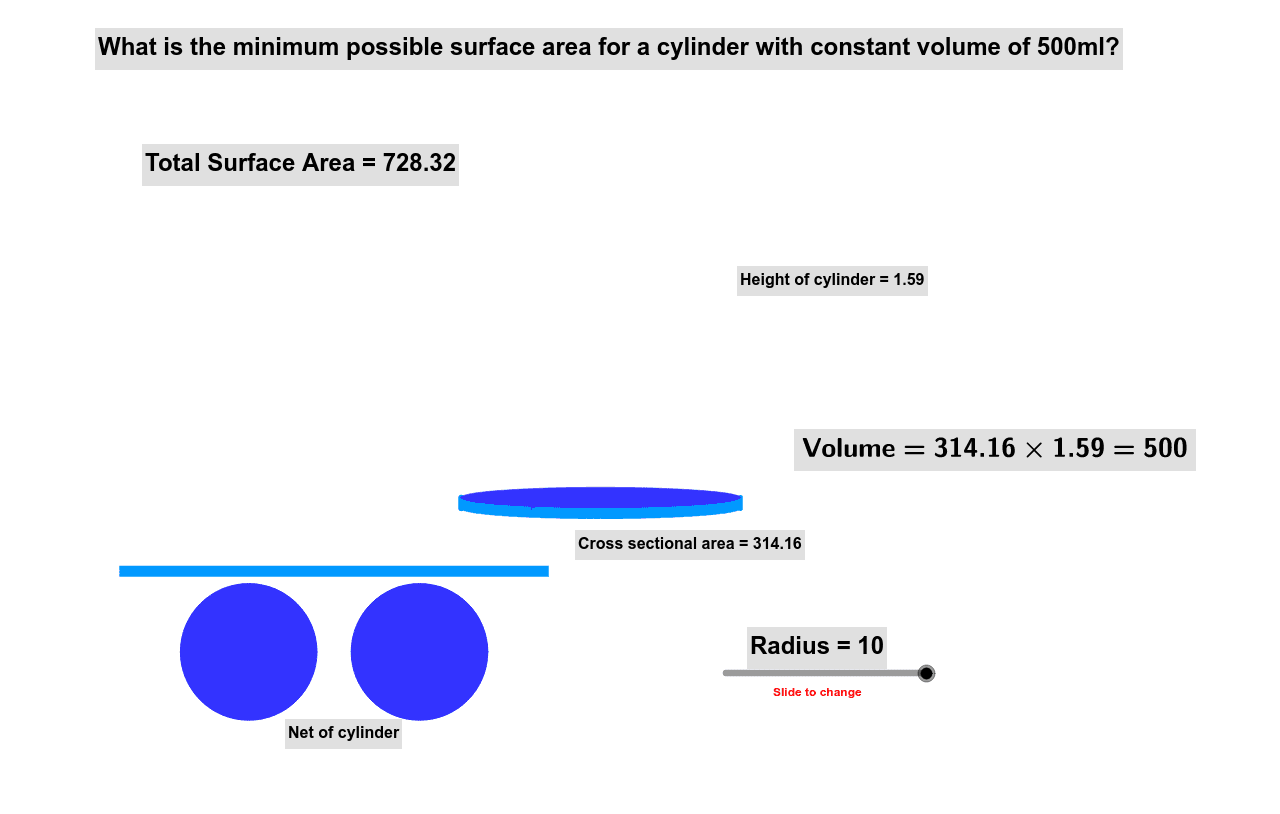
This example demonstrates how to use GeoGebra to find the minimum surface area of a right cylinder with a fixed volume of 500ml. It involves core calculus concepts like derivatives and optimization, along with solid geometry. Key GeoGebra commands used include Circle, Polygon, Area, Midpoint, and Ellipse. Suitable for high school students learning calculus and solid geometry to understand real-world optimization problems.
GeoGebra Commands & Parameters
Circle(A, B, C) → cCircle(F, D, E) → dPolygon(J, I, G, H) → poly1, j, i, g, hArea(c) → bArea(poly1) → eMidpoint(I, J) → KPolygon(N, O, M, L) → poly2, n, o, m, lMidpoint(N, O) → PMidpoint(L, M) → REllipse(L, M, S) → qEllipse(N, O, Q) → p
AI Drawing Prompt Reference
Draw a right cylinder to illustrate the optimization of minimum surface area. Start by sketching two parallel circles, then connect their centers to form a rectangle. Calculate the area of one circle. Next, draw ellipses centered at the midpoints of the rectangle's sides to represent the top and bottom, connecting them with the rectangle to create the lateral surface. Finally, visually compare the surface areas of different combinations to show the minimization process.
The prompt above was compiled from the original drawing commands and is for reference only.