
Optimization: Parabola and Inscribed Rectangle via Differentiation
Loading the math board and drawing, please wait…
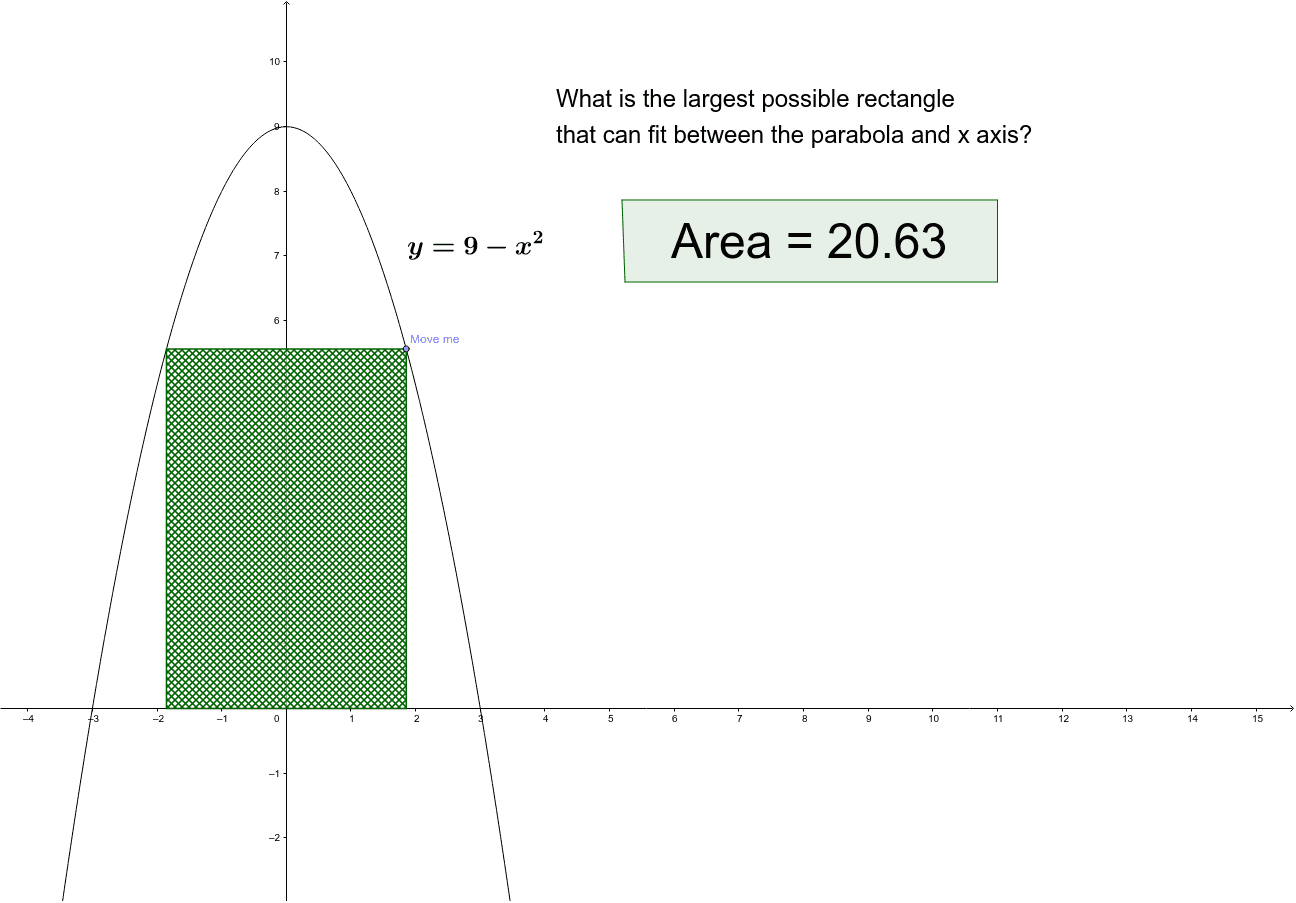
This GeoGebra example demonstrates how to find the maximum area of a rectangle inscribed under a parabola using differentiation. It visualizes the classic calculus optimization problem where a rectangle's top vertices lie on a parabola and its base on the x-axis. The core mathematical concepts include quadratic functions, area formulas, derivatives, critical points, and optimization. Construction details: points are placed on the parabola using the Point command, the rectangle is formed with Polygon, its area is computed with Area, and sliders or draggable points allow dynamic exploration. The derivative is used to locate the maximum area. Suitable for high school or introductory college calculus students, this interactive tool helps bridge algebraic reasoning and geometric intuition in optimization problems.
GeoGebra Commands & Parameters
Point(c) → APolygon(A, B, D, C) → poly1, a, b, d, c_1Area(poly1) → ePolygon(E, G, H, F) → poly2, e_1, g, h, f
AI Drawing Prompt Reference
Draw a parabola with a rectangle inscribed under it. The rectangle's top vertices lie on the parabola, and its base is on the x-axis. Find the maximum area by differentiating. Include the parabola, rectangle, and area calculation points.
The prompt above was compiled from the original drawing commands and is for reference only.