
Cycloid Generation by Guillermo Bautista
Loading the math board and drawing, please wait…
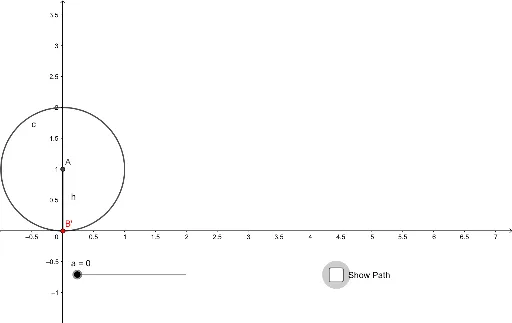
This applet demonstrates the formation of a cycloid, which is the curve traced by a point on the circumference of a circle as it rolls along a straight line. Key mathematical concepts include parametric equations and loci. It utilizes commands such as Circle, Intersect, Rotate, Angle, CurveCartesian, and Segment in GeoGebra. Suitable for high school mathematics education and learning parametric equations.
GeoGebra Commands & Parameters
Circle(A, 1) → cIntersect(c, xAxis, 1) → BRotate(B, (-a), A) → B'Angle(B', A, B) → αCurveCartesian(f(t), g(t), t, 0, (2 * π)) → bSegment(B', A) → h
AI Drawing Prompt Reference
Draw a cycloid, which is the path traced by a point on the circumference of a circle as it rolls along a straight line. Start by drawing a circle with radius 1 and center A. Find the intersection point B of the circle with the x-axis. Rotate B around A by angle a to get B'. Calculate the angle α between B', A, and B. Finally, use parametric equations to generate the cycloid b from t=0 to 2π, and draw a segment connecting B' and A.
The prompt above was compiled from the original drawing commands and is for reference only.