
Curve Stitching on the Surface of a Cylinder
Loading the math board and drawing, please wait…
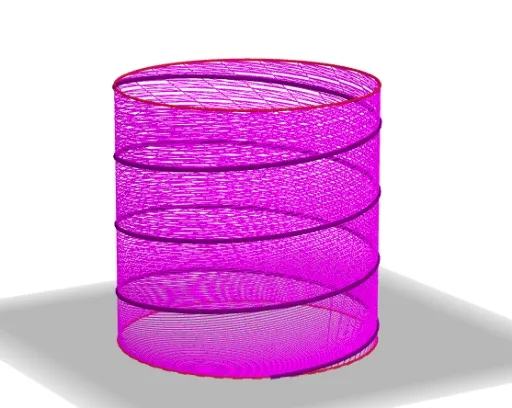
This example demonstrates how to create beautiful patterns on the surface of a cylinder through curve stitching. The core mathematical concepts involved include cylinder surface, similarity transformation, multiplication, line segment, and parametric curves. The construction utilizes GeoGebra commands CurveCartesian and Sequence, along with objects a, b, m, n, c, L_1. It is suitable for high school students and above to explore the applications of spatial geometry and parametric equations.
GeoGebra Commands & Parameters
CurveCartesian(cos(t), sin(t), 0, t, 0, (2 * π)) → aCurveCartesian(cos(t), sin(t), 2, t, 0, (2 * π)) → bCurveCartesian(cos(t), sin(t), (2 * (t - n) / ((m * n) - n)), t, n, (m * n)) → cSequence(CurveCartesian[cos(t), sin(t), (2 * (t - w) / ((m * w) - w)), t, w, (m * w)], w, 0, n, (2 * π / 100)) → L_1
AI Drawing Prompt Reference
Draw a pattern on the surface of a cylinder. First, draw two concentric circles. Then, use parametric equations to draw a series of curves on the cylinder surface, where the shape and position of the curves are controlled by parameters t, m, and n. Finally, use parameter w to generate a series of curves, forming a beautiful pattern.
The prompt above was compiled from the original drawing commands and is for reference only.