
Curve Stitching in a Triangle: Parabolas and Directrix
Loading the math board and drawing, please wait…
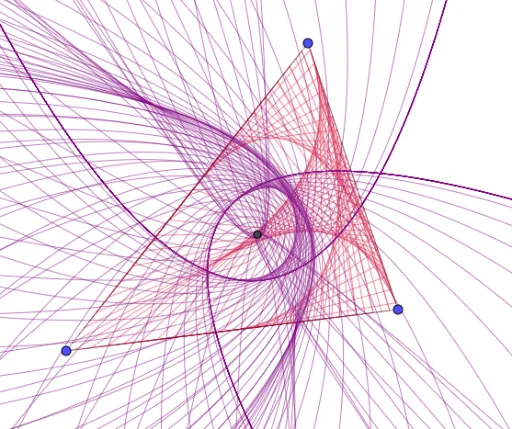
This example demonstrates the process of drawing parabolas using curve stitching within a triangle. Key mathematical concepts include parabolas, tangent lines, and directrices. Using GeoGebra commands such as Polygon, Join, Length, Sequence, and Centroid, a series of points are constructed to approximate the parabola. Suitable for high school mathematics education, particularly in coordinate geometry and function graphing.
GeoGebra Commands & Parameters
Polygon(A, B, C) → t1, c, a, bJoin({Sequence[A + (w * (B - A)), w, 0, 39 / 40, 1 / 40], Sequence[B + (w * (C - B)), w, 0, 39 / 40, 1 / 40], Sequence[C + (w * (A - C)), w, 0, 39 / 40, 1 / 40]}) → L_1Length(L_1) → dSequence(w, w, 1, d) → L_2Join({L_1, L_1, L_1}) → L_5Sequence(Segment[Element[L_1, Element[L_2, w]], Element[L_5, Element[L_3, w]]], w, 1, 120) → L_4Centroid(t1) → DSequence(Parabola[D, Element[L_4, w]], w, 1, Length[L_4]) → L_6Length(L_4) → e
AI Drawing Prompt Reference
Draw parabolas within a triangle using curve stitching. Start by drawing a triangle, then select a series of points on each side of the triangle with distances gradually decreasing. Connect these points to form a curve that approximates the parabola. Finally, construct a series of parabolas based on these points to complete the shape.
The prompt above was compiled from the original drawing commands and is for reference only.