
Cucumber-Shaped Parametric Surface: Building a 3D Surface in GeoGebra
Loading the math board and drawing, please wait…
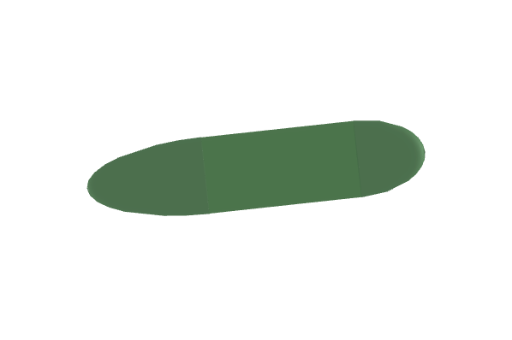
This example demonstrates how to construct and visualize a cucumber-like 3D surface using parametric surface parametrization. It focuses on the idea that a geometric shape in space can be generated by defining its coordinates as functions of parameters, and then rendering the resulting surface in 3D. The key math concepts are parametric curves/surfaces, surface parametrization, and 3D graphing/geometry representation. Construction-wise, the provided GeoGebra summary indicates the use of the Surface command to create the surface, with supporting parameter-related objects (b, e, c) supplying the necessary parametrized expressions or components. Suitable for advanced high school through first-year university, especially for lessons on calculus preparation, parametric equations, and solid geometry visualization.
GeoGebra Commands & Parameters
Surface((1.6 * cos(ϕ)) + 2, ((0.90929 * sin(ϕ)) * cos(θ)), ((0.90929 * sin(ϕ)) * sin(θ)), ϕ, 0, π / 2, θ, 0, (2 * π)) → bSurface((2.8 * cos(ϕ)) - 1.6, ((0.90929 * sin(ϕ)) * cos(θ)), ((0.90929 * sin(ϕ)) * sin(θ)), ϕ, π / 2, π, θ, 0, (2 * π)) → eSurface(u, (0.90929 * cos(v)), (0.90929 * sin(v)), u, (2.8 * cos(π / 2)) - 1.6, 2, v, 0, (2 * π)) → c
AI Drawing Prompt Reference
Create a 3D cucumber-shaped surface. It consists of three parts: a flattened hemisphere at the bottom, an elongated hemisphere at the top, and a cylindrical section connecting them. The whole shape extends horizontally with rounded, tapering ends. Build it by first drawing the bottom hemisphere, then the top hemisphere, and finally a cylinder to smoothly join the two, forming a complete cucumber-like solid.
The prompt above was compiled from the original drawing commands and is for reference only.