
Cuboid Surface Area Calculation
Loading the math board and drawing, please wait…
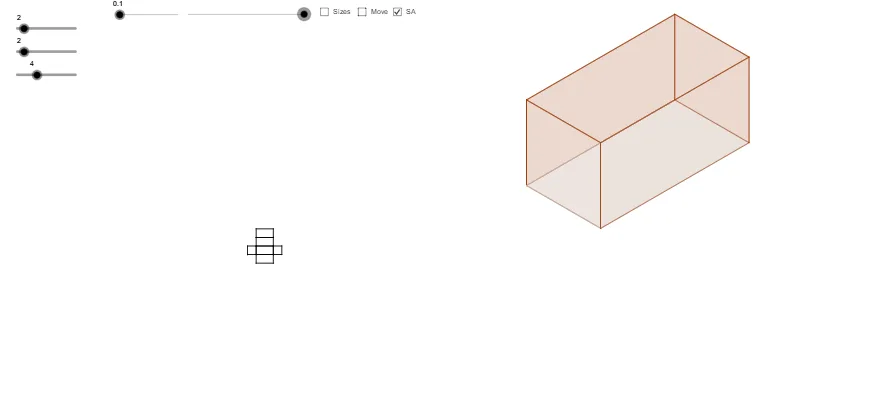
This GeoGebra example dynamically constructs a cuboid to visually demonstrate surface area calculation and formula application. Core mathematical concepts include rectangular area formulas, solid geometry properties, and surface area problem-solving. Construction highlights involve Vector, Polygon, Midpoint, If, and Area commands to build the cuboid's faces, edges, and vertices, enabling automatic surface area computation. Suitable for middle and high school geometry education, it helps students visualize the origin and steps of surface area calculation in 3D space.
GeoGebra Commands & Parameters
Vector(PTP_1, PB_3) → tpsbVector(PTPF_1, PTP_1) → tpf1Vector(PTP, PB_2) → tpa1Vector(PTPF, PTP) → tpfVector(PBK, PB) → bk1Vector(PBK_1, PB_1) → bk11Vector(PFT_1, PB_3) → ftb13Vector(PFT, PB_2) → fta1Vector(PSB_1, PB_3) → sbb13Vector(PSB, PB_1) → sbbVector(PSF_1, PB_2) → sfa1Vector(PSF, PB) → sfbPolygon(SF_3, SF, SF_1, SF_2) → aSideFront, a, b, c, dIf(dist < 100, PTPF + ((dist * Length[tpf] / 100); Angle[tpf]), PTP + (((dist - 100) * Length[tpa1] / 100); Angle[tpa1])) → TP_3If(dist < 100, PTPF_1 + ((dist * Length[tpf1] / 100); Angle[tpf1]), PTP_1 + (((dist - 100) * Length[tpsb] / 100); Angle[tpsb])) → TP_2Polygon(TP_3, TP_2, TP_1, TP) → aTop, a_1, b_1, c_1, d_1Polygon(BK_3, BK_2, BK_1, BK) → aBack, a_2, b_2, c_2, d_2Polygon(BT, BT_1, BT_2, BT_3) → aBottom, a_3, b_3, c_3, d_3Polygon(SB, SB_1, SB_2, SB_3) → aSideBack, a_4, b_4, c_4, d_4Polygon(FT, FT_1, FT_2, FT_3) → aFront, a_5, b_5, c_5, d_5Polygon(NA_2, NA, NA_1, NA_3) → planBottom, na_2, na, na_1, na_3Polygon(NA_2, NA_3, NFT_1, NFT) → planFront, na_4, na_5, nft_1, nftPolygon(NA, NSF, NSF_1, NA_2) → planSideFront, na_6, nsf, nsf_1, na_7Polygon(NA_1, NSB, NSB_1, NA_3) → planSideBack, na_8, nsb, nsb_1, na_9Polygon(NA, NBK, NBK_1, NA_1) → planBack, na_{10}, nbk, nbk_1, na_{11}Polygon(NBK, NTPT, NTPF_1, NBK_1) → planTop, nbk_2, ntpt, ntpf_1, nbk_3Midpoint(nft_1) → HnfMidpoint(ntpf_1) → HplMidpoint(nbk_1) → HpbMidpoint(b_1) → HXtsMidpoint(d_2) → HXbsMidpoint(c_5) → HXfsArea(BK_3, BK_2, BK_1, BK) → bb
AI Drawing Prompt Reference
Draw a cuboid with its six faces: front, back, top, bottom, left side, and right side. Use vector and polygon commands to construct these faces and calculate the area of each face. First, create vectors to define the edges of the cuboid, then use these vectors to build polygons, and finally calculate the area of each face.
The prompt above was compiled from the original drawing commands and is for reference only.