
Cube Volume Demonstration and Geometric Construction
Loading the math board and drawing, please wait…
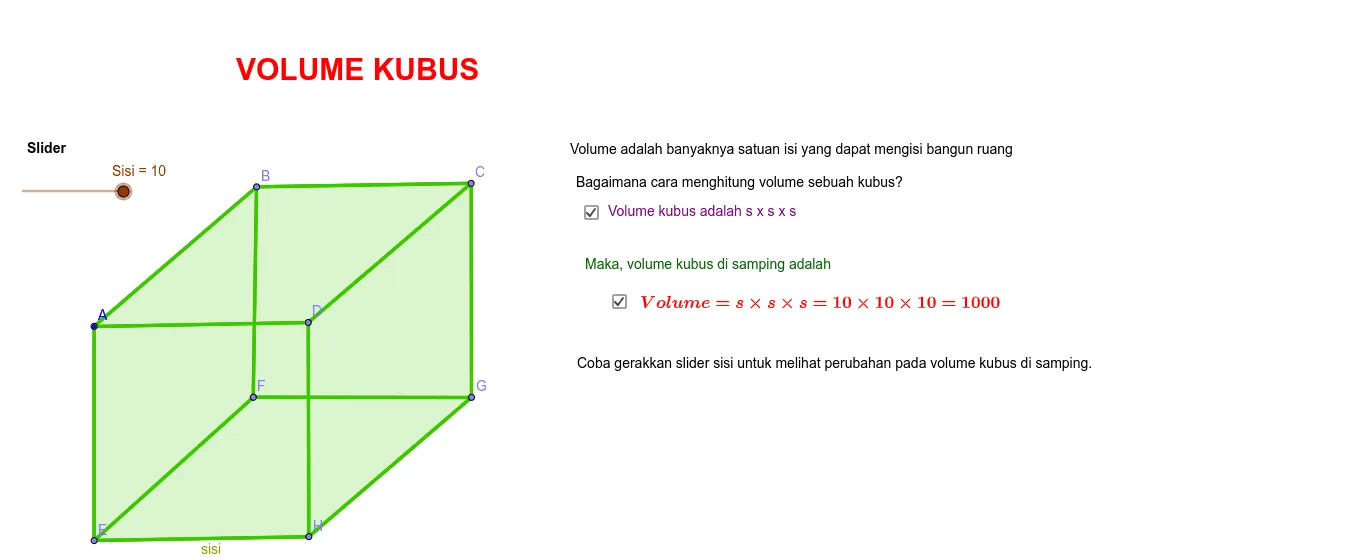
① This example shows how to build a cube in GeoGebra and visually demonstrate its volume calculation. ② Core mathematical concepts include the solid‑geometry volume formula for a cube, geometric transformations such as dilation and translation, and the principles of constructing polygons and polyhedra. ③ Construction highlights: basic commands Point, Segment, and Polygon create vertices A‑H and the four face polygons (poly1‑poly4); parameters a, b, c control edge length, enabling dynamic linkage between side length and volume. ④ Suitable for middle‑school and high‑school solid‑geometry lessons, geometric construction practice, and intuitive verification of the volume formula.
GeoGebra Commands & Parameters
Point(Circle[A, Sisi]) → BPoint(Circle[A, Sisi]) → EPoint(Circle[A, Sisi]) → DPoint(Circle[D, Sisi]) → HPoint(Circle[D, Sisi]) → CPoint(Circle[H, Sisi]) → GSegment(E, H) → sisiSegment(C, B) → a_0Segment(A, B) → a_1Segment(A, E) → a_2Segment(A, D) → a_3Segment(D, H) → a_4Segment(D, C) → a_5Segment(C, G) → a_6Segment(H, G) → a_7Point(Circle[E, Sisi]) → FSegment(G, F) → aPoint(Circle[A_1, 2]) → B_1Segment(F, E) → a_8Segment(B, F) → a_9Polygon(A, B, C, D) → poly1, a_{10}, b, c, dPolygon(E, F, G, H) → poly2, e, f, g, hPolygon(D, C, G, H) → poly3, d_1, c_1, g_1, h_1Polygon(A, B, F, E) → poly4, a_{11}, b_1, f_1, e_1Polygon(B, C, G, F) → poly5, b_2, c_2, g_2, f_2Polygon(A, D, H, E) → poly6, a_{12}, d_2, h_2, e_2
AI Drawing Prompt Reference
Draw a cube with 8 vertices A to H and 4 faces poly1 to poly4. Start by creating point A, then draw a circle with A as the center and side length Sisi to get points B, E, D, H, C, G, and F. Next, connect these points to form edges a to a_9, and then use these edges and points to construct the four faces poly1 to poly4.
The prompt above was compiled from the original drawing commands and is for reference only.