
Cube 5-Compound
Loading the math board and drawing, please wait…
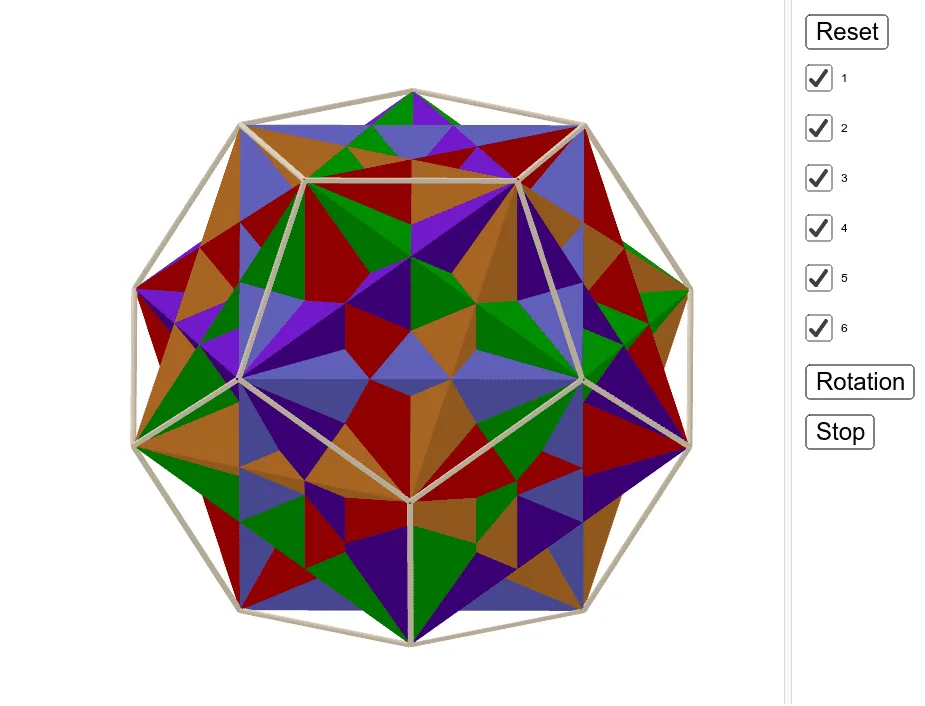
This example demonstrates the geometric construction of a cube 5-compound. It involves the geometric properties of cubes and rotation transformations. Using GeoGebra commands such as Intersect, Point, Circle, and Rotate, one can visually understand the relationships between the cubes. Suitable for students at the middle school level and above, focusing on solid geometry.
GeoGebra Commands & Parameters
Intersect(xAxis, yAxis) → B_1Point(yAxis) → C_1Circle(B_1, C_1) → sIntersect(s, xAxis, 2) → D_1Rotate(D_1, a°, B_1) → ARotate(D_1, a° + 72°, B_1) → BDodecahedron(A, B, Point[Circle[((A * (1 - sqrt(5))) + (B * (3 + sqrt(5)))) / 4, (Distance[A, B] * sqrt(10 + (2 * sqrt(5))) / 4), Segment[A, B]]]) → a_1, D, M, N, O, P, Q, R, S, T, 면1, 면2, E, 면3, 면4, 면5, 면6, 면7, 면8, 면9, 면10, 면11, 면12, F, 모서리1, 모서리2, 모서리3, 모서리4, 모서리5, 모서리6, 모서리7, 모서리8, 모서리9, 모서리10, G, 모서리11, 모서리12, 모서리13, 모서리14, 모서리15, 모서리16, 모서리17, 모서리18, 모서리19, 모서리20, H, 모서리21, 모서리22, 모서리23, 모서리24, 모서리25, 모서리26, 모서리27, 모서리28, 모서리29, 모서리30, I, J, K, LIntersect(모서리3, 모서리15) → CCube(R, T, I) → d, U, face1, face3, edgeRU, edgeRT, edgeIT, edgeIU, edgeRV, edge1, edge2, edgeVW, V, edgeTW, edgeWZ, edgeIZ, edge3, W, Z, A_1, faceITRU, face2, faceRTWV, faceITWZCube(S, P, J) → g, E_1, face6, face9, edge7, edgePS, edgeJP, edge4, edge8, edge9, edge11, edge10, F_1, edge6, edge12, edge5, edge13, G_1, H_1, I_1, face4, face8, face7, face5Cube(T, Q, F) → j, J_1, face12, face15, edge17, edgeQT, edgeFQ, edge14, edge18, edge19, edge21, edge20, K_1, edge16, edge22, edge15, edge23, L_1, M_1, N_1, face10, face14, face13, face11Cube(P, R, G) → m, O_1, face18, face21, edge26, edgePR, edgeGR, edge24, edge27, edge29, edge31, edge30, P_1, edge28, edge32, edge25, edge33, Q_1, R_1, S_1, face16, face20, face19, face17Cube(Q, S, U) → p, T_1, face26, face27, edge34, edgeQS, edgeSU, edge37, edge35, edge39, edge41, edge40, U_1, edge36, edge42, edge38, edge43, V_1, W_1, Z_1, face22, face24, face23, face25