
Cross Sections of a Trapezoidal Prism by Math Team - EnergyTech
Loading the math board and drawing, please wait…
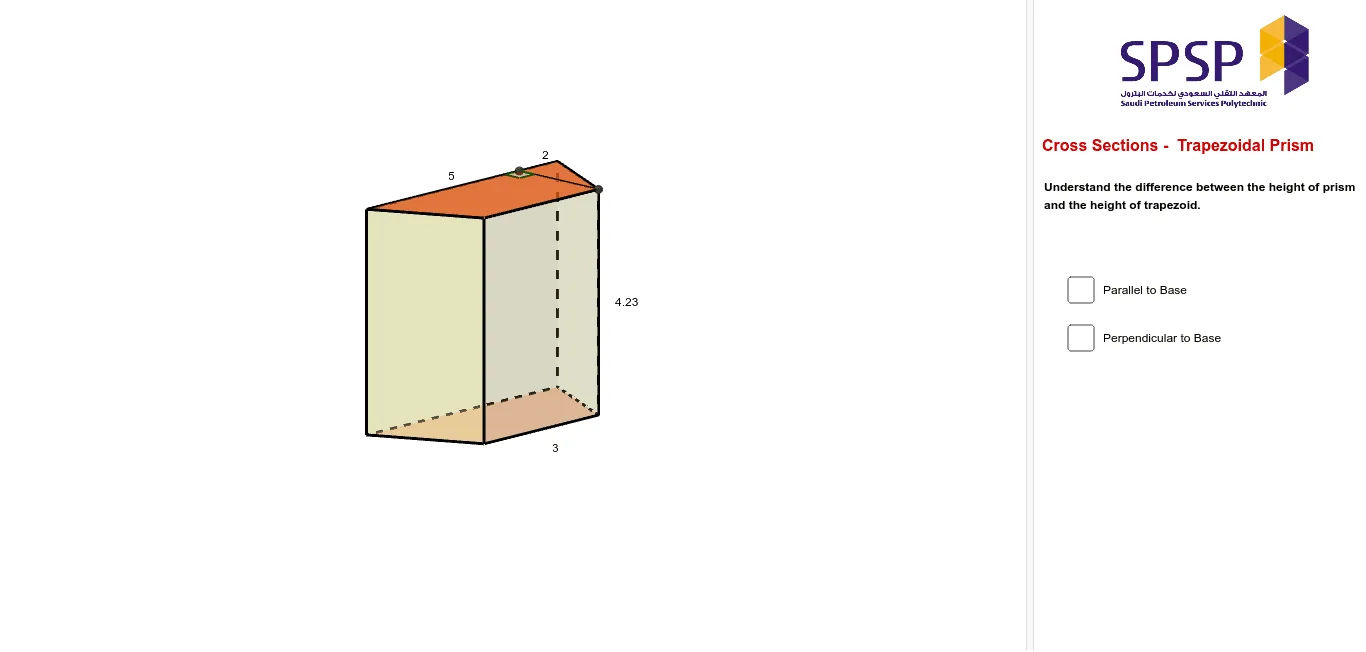
This example demonstrates the various cross-section shapes formed by slicing through a trapezoidal prism at different angles. Key math concepts include geometric cross-sections, polygons, prism volume calculations, and spatial visualization. The construction utilizes GeoGebra commands like Intersect, Polygon, Prism, Point, OrthogonalLine, Plane, IntersectPath, Segment, and Angle to create and analyze the 3D model and its sections. Suitable for high school solid geometry education, helping students understand the relationship between cross-sections and the original solid, as well as polygon construction and properties.
GeoGebra Commands & Parameters
Intersect(xAxis, yAxis) → APolygon(A, B, C, D) → poly1, a, b, c, dPrism(poly1, 4.228953535314572) → e, E, edgeAE, edgeBF, edgeCG, edgeDH, edgeEF, edgeFG, edgeGH, edgeEH, F, G, H, faceABFE, faceBCGF, faceCDHG, faceADHE, faceEFGHPoint(edgeFG) → IOrthogonalLine(I, b, space) → fOrthogonalLine(I, edgeEH, space) → gIntersect(edgeEH, g) → JIntersect(f, b) → KOrthogonalLine(J, d, space) → hIntersect(d, h) → LPolygon(I, J, L, K) → poly2, i, j, l, kPoint(edgeCG) → MOrthogonalLine(M, edgeBF, space) → nIntersect(edgeBF, n) → NOrthogonalLine(N, edgeAE, space) → pIntersect(edgeAE, p) → OOrthogonalLine(O, edgeDH, space) → qIntersect(edgeDH, q) → PPolygon(M, N, O, P) → poly3, m_1, n_1, o, p_1Point(edgeCG) → QOrthogonalLine(Q, edgeBF, space) → sIntersect(edgeBF, s) → RPoint(edgeDH) → SPlane(R, Q, S) → tIntersectPath(t, e) → poly4, T, U, V, W, a_1, b_1, c_1, d_1Point(edgeGH) → ZPoint(edgeFG) → A_1Point(edgeCG) → B_1Plane(Z, A_1, B_1) → vIntersectPath(v, e) → poly5, C_1, D_1, E_1, e_1, f_1, g_1Intersect(edgeFG, edgeEF) → F_1Point(edgeEH) → G_1Segment(F_1, G_1) → h_1Intersect(edgeEF, h_1) → J_1OrthogonalLine(J_1, edgeEH, space) → k_1Intersect(k_1, edgeEH) → K_1Point(edgeEH) → L_1Angle(J_1, K_1, L_1) → αSegment(J_1, K_1) → l_1
AI Drawing Prompt Reference
Draw a trapezoidal prism and slice it at various angles to show different geometric cross-section shapes. Start by constructing a prism with a trapezoidal base, then select points on the prism and draw lines perpendicular to the base and planes parallel to the sides. The intersections of these lines and planes with the prism form various polygonal cross-sections, which are then combined with the original prism to clearly illustrate the relationship between the cross-sections and the solid.
The prompt above was compiled from the original drawing commands and is for reference only.