
Creating Mathematical Models
Loading the math board and drawing, please wait…
This example demonstrates how to create and manipulate mathematical models using GeoGebra, including polygons, lines, and function graphs. Core math concepts involve functions, coordinate geometry, optimization problems, and probability & statistics. Construction highlights include commands like Polygon, Line, Midpoint, Segment, and FitPoly, along with objects such as c_{p2y}, M, poly1, etc. Suitable for high school students and educators.
GeoGebra Commands & Parameters
Polygon(A, E, D) → poly1, d_4, a_4, e_{16}Polygon(C, E, B) → poly2, b_4, c_2, e_1Polygon(I, E, F) → poly3, f_9, i_9, e_2Polygon(G, E, H) → poly4, h_4, g_4, e_3Polygon(A, B, E) → poly5, e_4, a_1, b_1Polygon(C, F, E) → poly6, e_5, c_1, f_6Polygon(I, H, E) → poly7, e_6, i_6, h_1Polygon(G, D, E) → poly8, e_7, g_1, d_1Polygon(A, D, E) → poly9, e_8, a_2, d_2Polygon(C, B, E) → poly10, e_9, c_3, b_2Polygon(I, F, E) → poly11, e_{10}, i_7, f_7Polygon(G, H, E) → poly12, e_{11}, g_2, h_2Polygon(A, B, E) → poly13, e_{12}, a_3, b_3Polygon(F, C, E) → poly14, e_{13}, f_8, c_4Polygon(H, I, E) → poly15, e_{14}, h_3, i_8Polygon(D, G, E) → poly16, e_{15}, d_3, g_3Textfield(a) → InputBox1Line(L, M) → c_{answer}Line(J, K) → b_{answer}Textfield(b) → InputBox2Textfield(c) → InputBox3Textfield(d_{a1}) → InputBox4Textfield(d_{b1}) → InputBox5Textfield(d_{c1}) → InputBox6Polygon(W_1, W_2, W_3, W_4) → poly17, w_1, w_2, w_3, w_4Midpoint(W_1, W_2) → NMidpoint(W_3, W_2) → OMidpoint(W_3, W_4) → PMidpoint(W_1, W_4) → QSegment(O, Q) → jMidpoint(W_1, N) → RMidpoint(N, W_2) → SMidpoint(W_3, P) → TMidpoint(W_4, P) → USegment(R, U) → kSegment(N, P) → lSegment(S, T) → mFitPoly(list11, 2) → qTextfield(e) → InputBox7Textfield(f) → InputBox8Textfield(g) → InputBox9Textfield(h) → InputBox10Polygon(A_1, C_1, B_1, D_1) → poly18, a_5, c_6, b_5, d_5Line(A_1, C_1) → i_{line3}Line(A_1, D_1) → i_{line4}Line(B_1, C_1) → i_{line1}Line(B_1, D_1) → i_{line2}Textfield(i_{answer1}) → InputBox11Textfield(i_{answer2}) → InputBox12Textfield(i_{answer3}) → InputBox13Textfield(i_{answer4}) → InputBox14Segment(A_1, C_1) → iSegment(A_1, D_1) → sSegment(B_1, C_1) → tSegment(B_1, D_1) → j_1
AI Drawing Prompt Reference
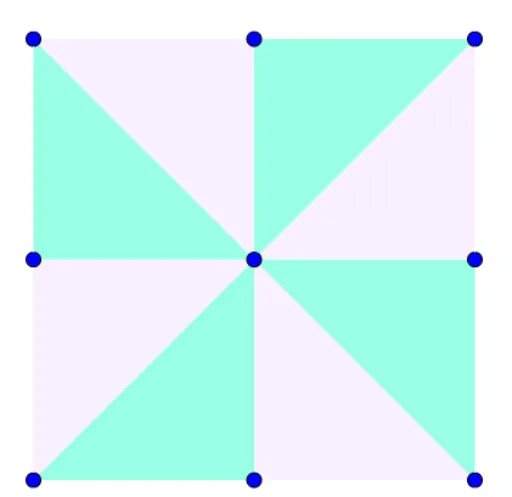
Draw multiple polygons sharing a common vertex, connecting vertices in sequence to form closed shapes. Then, draw line segments connecting the vertices of the polygons and mark the midpoints of these segments. Finally, fit a curve through the midpoints to demonstrate the application of functions and statistics.
The prompt above was compiled from the original drawing commands and is for reference only.