
Chapter-13: Fitting Curve to Data
Loading the math board and drawing, please wait…
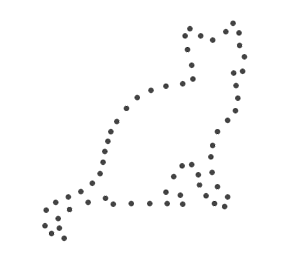
This example demonstrates how to fit a curve to given data points using GeoGebra, illustrating the relationship between data and function models. Core mathematical concepts include curve fitting, function approximation, analytical geometry, and calculus. Key GeoGebra commands and objects used in construction are Sequence, Reverse, Zip, First, Sum, and CurveCartesian. Suitable for high school and above learners for understanding data analysis and function modeling applications.
GeoGebra Commands & Parameters
Sequence(N) → LNReverse(Sort[Zip[(abs(F), n), F, LF, n, LN]]) → LAsZip(y(As), As, LAs) → LjSequence(1, M) → LmFirst(Zip[Element[Lk, j], j, Lj], M) → LksFirst(Zip[Element[LF, j], j, Lj], M) → LFsFirst(Zip[x(As), As, LAs], M) → LRsSum(Zip[(x(F) * cos((k * x))) - (y(F) * sin((k * x))), F, LFs, k, Lks]) → fxSum(Zip[(x(F) * sin((k * x))) + (y(F) * cos((k * x))), F, LFs, k, Lks]) → fyCurveCartesian(fx(t), fy(t), t, 0, (2 * pi)) → orbit
AI Drawing Prompt Reference
Draw a curve fitting graph from data points. The data points are shown as coordinates, and the curve smoothly connects them to represent a function model. Construct by listing all data points, calculating curve parameters, and then drawing the curve. Ensure the graph is clear to show the relationship between data and function.
The prompt above was compiled from the original drawing commands and is for reference only.