
Curve Fitting to Data
Loading the math board and drawing, please wait…
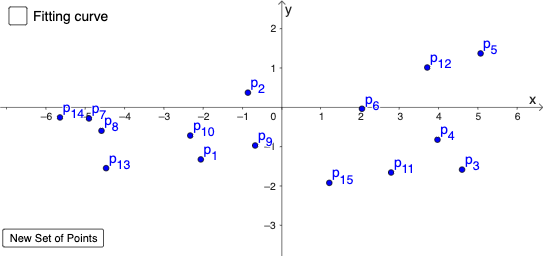
This example demonstrates how to fit a polynomial curve to given data points using GeoGebra. Core math concepts include data fitting, polynomial functions, linear equations, function graphs, and limits. Key GeoGebra commands used are Sequence and FitPoly, along with objects like buttons, text, and sliders. Suitable for high school mathematics education to understand data fitting methods and applications.
GeoGebra Commands & Parameters
Sequence("p_{" + (k) + "}", k, 1, 15) → LtxtFitPoly(P1:P15, b) → g
AI Drawing Prompt Reference
On a coordinate plane, place a set of data points indexed from 1 to 15, with small text labels showing each point’s number. Then perform a polynomial curve fit to these indexed points to obtain a fitted polynomial. Plot the resulting fitted polynomial as a function graph on the same axes so it reflects the overall trend of the data. Construct in order: first create the numbered points, then compute the polynomial fit and draw the curve.
The prompt above was compiled from the original drawing commands and is for reference only.