
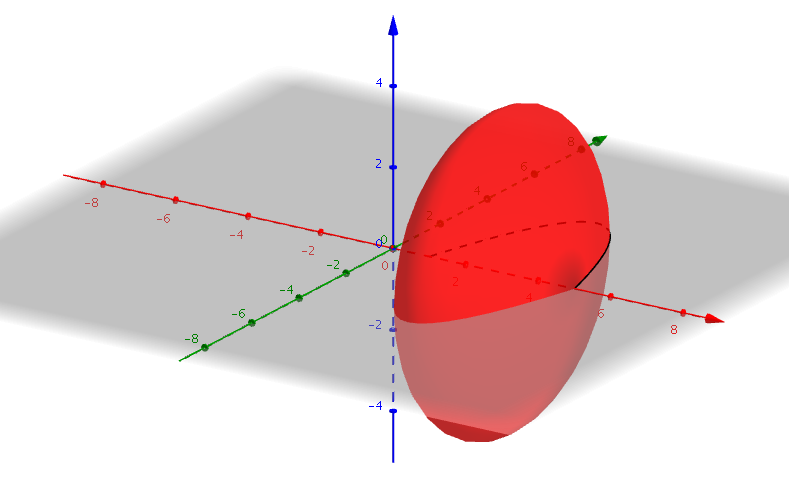
Creating a Surface of Revolution Around x-axis
Loading the math board and drawing, please wait…
In collections
My 3D Collection
This example demonstrates how to create a surface of revolution of a function in the xy-plane around the x-axis. It involves core mathematical concepts such as function graphing, rotation, solid geometry, and the integral idea from calculus. The construction uses GeoGebra's Function and Surface commands with objects f (function) and a (rotation range). Suitable for high school and above students learning about function rotation, solid geometry, and introductory calculus.
GeoGebra Commands & Parameters
Function(((-(x - 1)) * (x - 5)), 1, 5) → fSurface(t, (f(t) * cos(u)), (f(t) * sin(u)), t, 1, 5, u, 0, 6.28319) → a
AI Drawing Prompt Reference
Draw the graph of a function in the xy-plane with domain from x=1 to x=5, then rotate this graph around the x-axis to create a surface of revolution. The rotation angle should cover from 0 to 2π, showing the 3D surface formed during the rotation, demonstrating function rotation, solid geometry, and the concept of integral from calculus.
The prompt above was compiled from the original drawing commands and is for reference only.