
Creating a Surface Between Two Functions
Loading the math board and drawing, please wait…
In collections
My 3D Collection
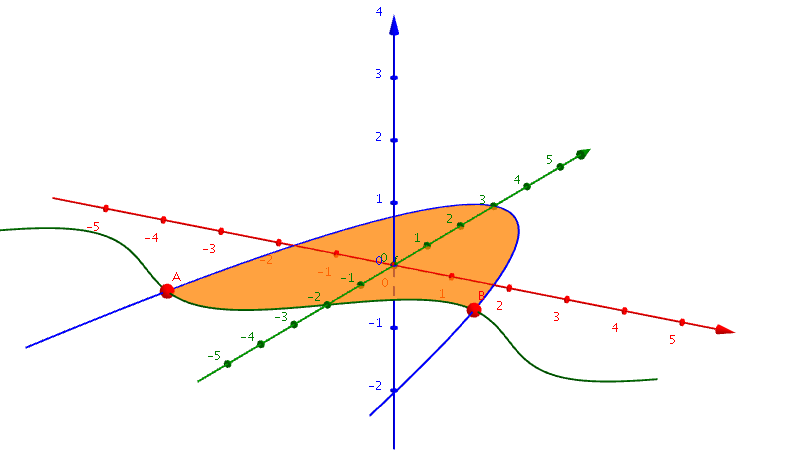
This example demonstrates how to create a surface between two curves, such as f(x) = sin(x)-2 and g(x) = 3-x^2. It involves core math concepts like functions, calculus, surfaces, and integration. The construction uses GeoGebra commands like Intersect and Surface, with objects including f, g, A, B, and a. Suitable for high school and above students learning about function graphs, calculus applications, and 3D geometry construction.
GeoGebra Commands & Parameters
Intersect(f, g, (-2.384676660146248, -2.6866827734480307)) → AIntersect(g, f, (2.0252116376860774, -1.1014821774191237)) → BSurface(t, (u * f(t)) + ((1 - u) * g(t)), 0, t, x(A), x(B), u, 0, 1) → a
AI Drawing Prompt Reference
Plot the graphs of the functions f(x) = sin(x)-2 and g(x) = 3-x^2, and mark their two intersection points within the visible range. Then, draw a surface connecting the two function graphs based on these intersection points, showing the transition area from the lower function to the upper function, suitable for learning about function graphs, calculus applications, and 3D geometry construction.
The prompt above was compiled from the original drawing commands and is for reference only.