
Coordinate Plane Distance: Geometric and Graphical Insights
Loading the math board and drawing, please wait…
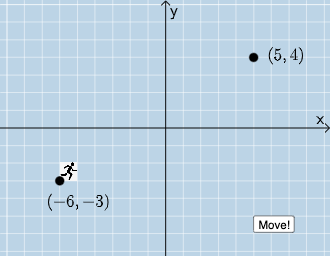
This example demonstrates the concept of distance in the coordinate plane, involving geometry, function graphs, and ellipses. It uses GeoGebra commands like Dilate, Vector, Line, Point, and objects such as B, A, B1, C. Suitable for high school or college students learning coordinate geometry and function graph construction.
GeoGebra Commands & Parameters
Dilate(A, If[0 < a ≤ 1, 1 - a, 0], D) → A'Vector(A, A') → uDilate(D, If[1 < a ≤ 2, 2 - a, 0], B) → D'Vector(D, D') → vLine(A, B) → fPoint(f) → FAngle(D, A, F) → αPoint(eq1) → GAngle(G, A, F) → βRotate(H, If[0 ≤ b ≤ 1, (b * β), β], B) → H'Dilate(B, If[1 < b ≤ 2, 2 - b, 0], A) → E'Vector(B, E') → wTranslate(H', w) → H''Angle(B, D, A) → γPolygon(A, D, B) → t1, b_1, a_1, d
AI Drawing Prompt Reference
Draw a coordinate plane diagram to illustrate the concept of distance. Start by plotting a line segment and two points, then find the midpoint of the segment and connect the endpoints. Next, scale one point from another, create vectors, and rotate a point. Finally, connect all points to form a polygon, showcasing the relationship between geometry and function graphs.
The prompt above was compiled from the original drawing commands and is for reference only.