
Continuity and Basic Integration
Loading the math board and drawing, please wait…
In collections
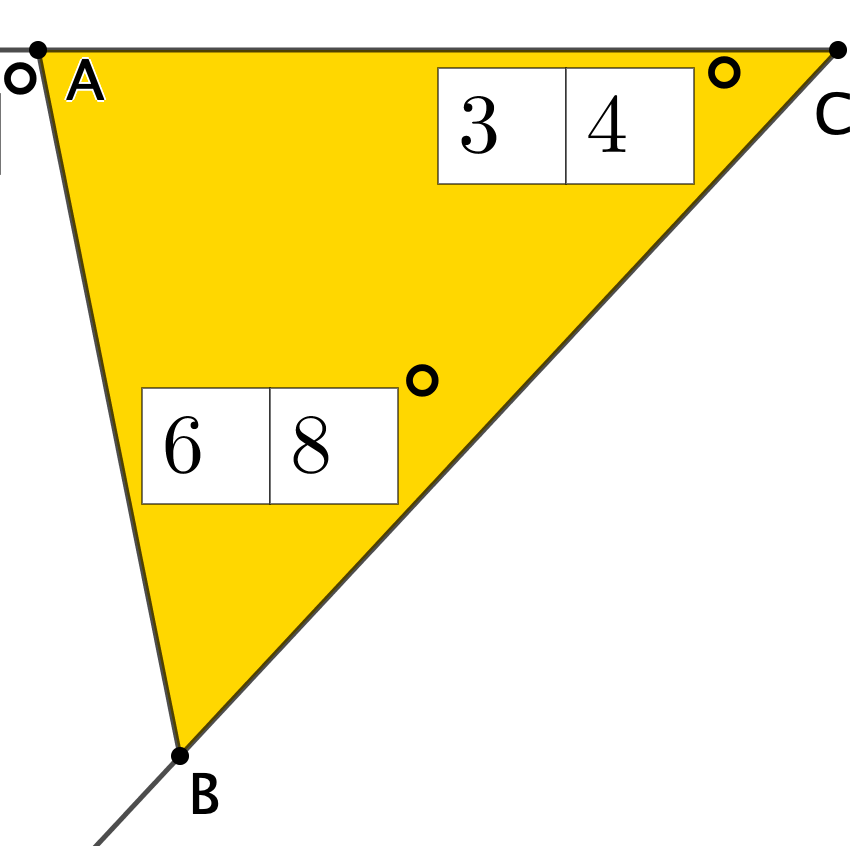
Open Middle: Interior and Exterior Angles of Triangles
This example illustrates the concepts of continuous functions and basic integration. By adjusting parameters, observe how the function graph changes and its integral value. Key mathematical concepts include continuity, integration, and angles. GeoGebra commands such as Textfield, Intersect, and Point are used in construction. Suitable for high school mathematics education and learning.
GeoGebra Commands & Parameters
Textfield(a) → InputBox1Textfield(b) → InputBox2Textfield(c) → InputBox3Textfield(d) → InputBox4Textfield(f) → InputBox5Textfield(g) → InputBox6Textfield(h) → InputBox7Intersect(xAxis, yAxis) → APoint(xAxis) → CLine(A, C) → iRay(C, A) → jRay(C, B) → kSegment(B, A) → lRay(D, E) → mRotate(E, (((10 * d) + f) * π / 180), D) → E'Ray(D, E') → nAngle(E, D, E') → αPoint(n) → FRotate(D, (((10 * g) + h) * π / 180), F) → D'Ray(F, D') → pAngle(D, F, D') → βIntersect(m, p) → GRotate(F, ((-((100 * a) + (10 * b) + c)) * π / 180), G) → F'Ray(G, F') → qSegment(F, G) → rAngle(F', G, F) → γPolygon(F, D, G) → t1, g_1, f_1, d_1Polygon(A, B, C) → t2, b_1, a_1, c_1Mode(l1) → l2
AI Drawing Prompt Reference
Draw a graph illustrating continuous functions and basic integration with adjustable parameters, showing the function's integral value. Include the intersection point of the function with the axes, a line through this point, two rays starting from it, and a segment. Rotate a point to create new rays and segments, then connect three points to form a polygon and display another polygon formed by three points.
The prompt above was compiled from the original drawing commands and is for reference only.