
Constructing Perpendicular Lines and Measuring the Right Angle
Loading the math board and drawing, please wait…
In collections
COORDINATE GEOMETRY
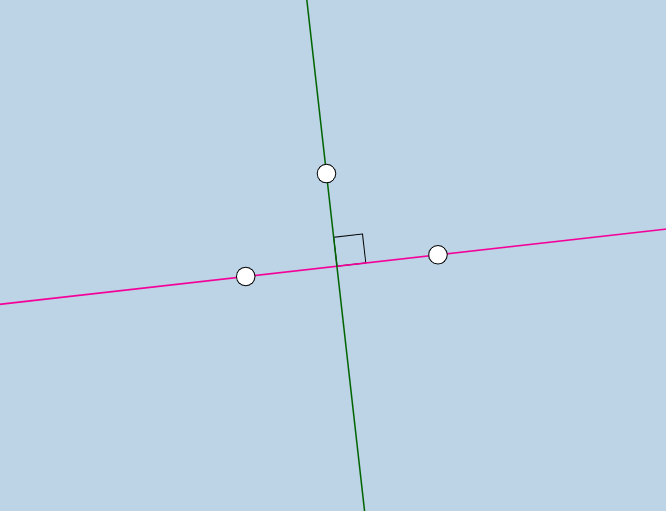
This example demonstrates how to construct a perpendicular line to a given line and how to verify the right-angle relationship using an angle measurement. The key math ideas include straight lines, orthogonality (perpendicularity), the foot of a perpendicular, intersection points, and using an angle object to visually confirm the perpendicular condition. In GeoGebra, you create the base lines with Line from point pairs (e.g., using objects A, B for line f and C, D for line g), then generate the perpendicular via OrthogonalLine from the chosen point relative to the target line. Next, Intersect is used to find the key crossing point of the constructed perpendicular with the original line, and Angle is used to define/display the angle (object α) that should be 90 degrees. Suitable for middle and high school geometry, as well as for instruction on geometric construction, right-angle verification, and perpendicular line concepts using dynamic mathematics software.
GeoGebra Commands & Parameters
Line(A, B) → fOrthogonalLine(C, f) → gIntersect(f, g) → DAngle(C, D, A) → α
AI Drawing Prompt Reference
Draw a straight line and construct a perpendicular line segment from a point on it. Find the intersection point of the two lines and measure the angle between them to verify it is 90 degrees. The figure should clearly show the intersection point, the perpendicular segment, and an angle marker, suitable for geometry teaching.
The prompt above was compiled from the original drawing commands and is for reference only.