
Constructing an Equilateral Triangle with a Given Perimeter
Loading the math board and drawing, please wait…
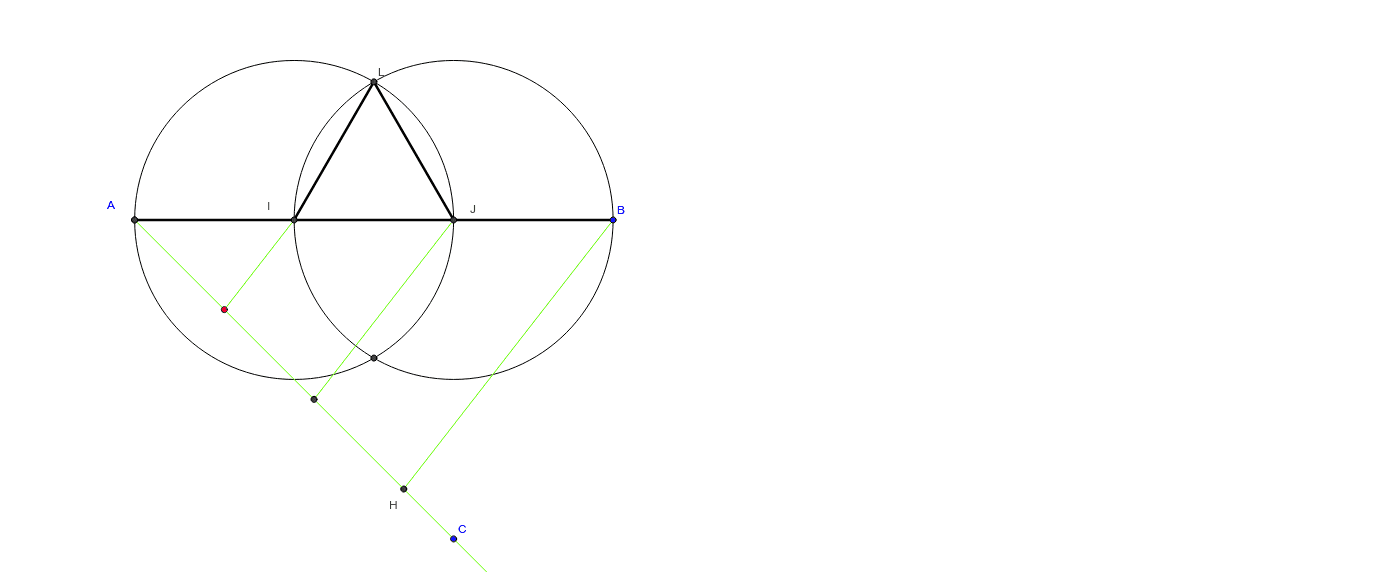
This example demonstrates how to construct an equilateral triangle given a specified perimeter. It involves core mathematical concepts such as perimeter, reflection, definite integral, tangent function, parallelogram, and rational numbers. The construction uses GeoGebra commands like Segment, Ray, Point, Circle, Intersect, and Line. Suitable for high school mathematics education, illustrating the integration of geometric construction and algebraic relationships.
GeoGebra Commands & Parameters
Segment(A, B) → aRay(A, C) → bPoint(b) → DCircle(A, D) → cCircle(D, Radius[c]) → dIntersect(d, b) → E, FCircle(F, Radius[d]) → eIntersect(e, b) → G, HSegment(H, B) → fLine(F, f) → gLine(D, g) → hIntersect(a, h) → IIntersect(g, a) → JSegment(D, I) → iSegment(F, J) → jCircle(I, A) → kCircle(J, Radius[k]) → pIntersect(p, k) → K, L, ,Segment(I, L) → lSegment(L, J) → mSegment(I, J) → n
AI Drawing Prompt Reference
Draw an equilateral triangle with a specified perimeter. Start by drawing a line segment and then a ray from one endpoint. Find the midpoint of the segment, draw a circle centered at this point, and locate two intersection points on the ray with this circle. Use these points as centers to draw new circles, intersecting the ray at two more points. Connect these points to form the equilateral triangle, illustrating the construction process.
The prompt above was compiled from the original drawing commands and is for reference only.