
Centroid of a Triangle by johnharrington0
Loading the math board and drawing, please wait…
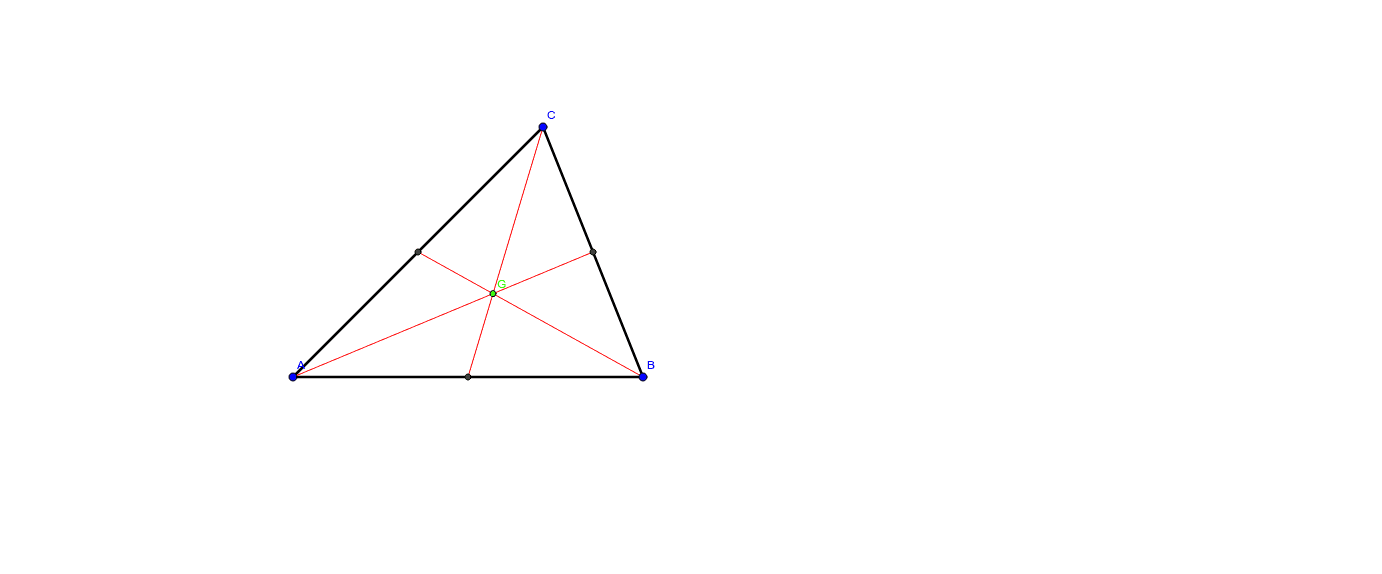
This example demonstrates how to construct the centroid (barycenter) of a triangle using geometric methods, which is the intersection point of the three medians. The core mathematical concepts include medians, centroid properties (dividing each median in a 2:1 ratio), and the coordinate average formula. Construction steps: using GeoGebra's Segment command to draw medians from vertices to midpoints of opposite sides, the Midpoint command to locate side midpoints, and the Intersect command to find the common point of two medians, labeled G. Suitable for middle school and above to visualize the centroid's geometric meaning, verify coordinate formulas in analytic geometry, or serve as a starting point for dynamic geometry explorations.
GeoGebra Commands & Parameters
Segment(A, B) → aSegment(B, C) → bSegment(A, C) → cMidpoint(c) → DMidpoint(b) → EMidpoint(a) → FSegment(F, C) → dSegment(E, A) → eSegment(D, B) → fIntersect(d, e) → G
AI Drawing Prompt Reference
Draw a triangle and mark the midpoint of each side. From each vertex, draw a line segment to the midpoint of the opposite side, creating three medians. These medians intersect at a single point, which is the centroid of the triangle. Use distinct colors or line styles to differentiate the triangle's sides from the medians, and clearly label the centroid. Construction order: first draw the triangle, then find the midpoints of its sides, connect each vertex to the opposite midpoint, and finally locate the intersection of two medians as the centroid.
The prompt above was compiled from the original drawing commands and is for reference only.