
Constructing a Tangent Plane in GeoGebra
Loading the math board and drawing, please wait…
In collections
MATH2001 - Calculus & Linear algebra II
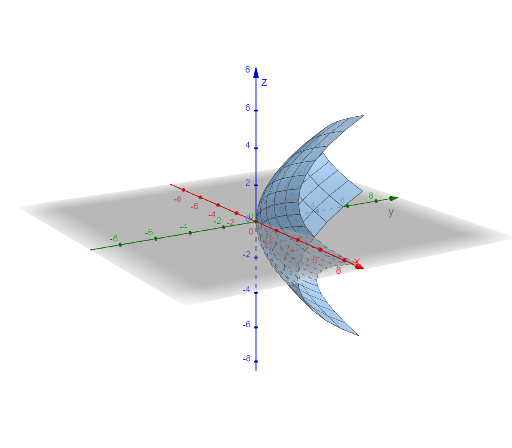
This example demonstrates how to construct the tangent plane to a 3D surface at a given point. By matching the local direction of the surface at that point, the tangent plane provides an intuitive model for linear approximation of a curved surface. Key concepts include a surface, tangent plane geometry, vector interpretation of directions, and coordinate/parameter-based setup (often supported by trigonometric relationships when determining orientations). From the GeoGebra construction summary, it uses the Surface command to create the surface, and the objects a, P, and tP to represent the reference element, the tangency point P, and the resulting tangent plane tP. The core construction workflow is: define the surface, choose the point P on it, then build tP using the appropriate direction information so the plane is “attached” to the surface at P. Suitable for pre-calculus/early calculus and coordinate-geometry teaching, especially for visualizing tangent planes and vector-based reasoning in solid geometry.
GeoGebra Commands & Parameters
Surface(u^(2), v^(2), u + (2 * v), u, -2, 2, v, -2, 2) → a
AI Drawing Prompt Reference
In 3D space, draw a parametrized surface defined by two parameters u and v, where the shape is determined by u^2 and v^2 together with a position component of the form u + (2*v). First create the surface itself as the main reference geometry, using its coordinate/parameter relationships so the local direction behavior of the surface is encoded. Keep the construction centered on the parametrized surface, since its orientation and direction information will be the basis for later steps involving a tangent-plane style attachment at a chosen point.
The prompt above was compiled from the original drawing commands and is for reference only.