
Constructing a Perpendicular Line Using GeoGebra
Loading the math board and drawing, please wait…
In collections
Essential Compass Constructions
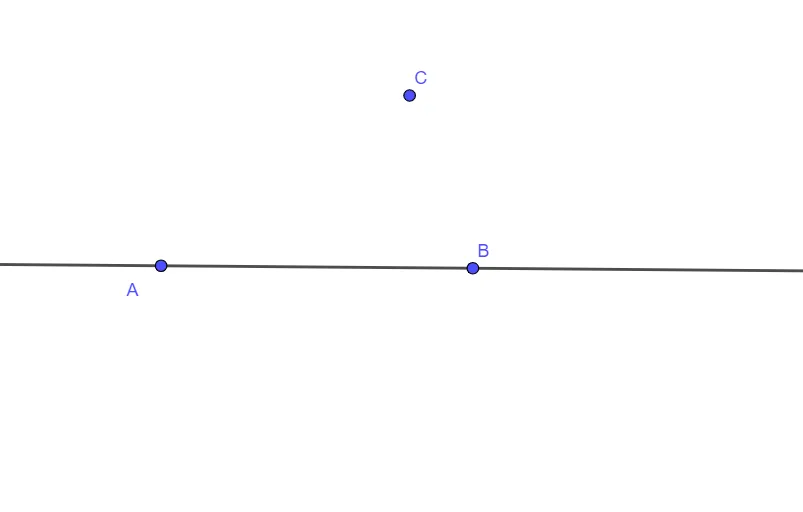
This example demonstrates how to construct a line that is perpendicular to a given line in the plane, producing a clear 90° relationship in the diagram. The key math ideas are geometric construction, the definition of perpendicular lines, and using known geometric objects (points and lines) to derive a new line with the required orientation. In GeoGebra, the construction is carried out using the command “Line” to create straight-line objects from the involved entities A, B, C, and a function/object f that supports the target or auxiliary geometric relationships. The activity is well suited for middle and high school geometry lessons, especially for practicing perpendicular/angle constructions, as well as for classroom demonstrations and self-study of geometric reasoning with dynamic geometry software.
GeoGebra Commands & Parameters
Line(A, B) → f
AI Drawing Prompt Reference
Draw a straight line passing through two given points in the plane. Then place a third point outside this line, and construct a new line through that point that is perpendicular to the original line, so that the two lines meet at a clear right angle. The diagram should include the three points, the original line, and the perpendicular line, emphasizing the 90-degree relationship. Keep the construction simple and suitable for geometry demonstration.
The prompt above was compiled from the original drawing commands and is for reference only.