
Connecting Angle between Two Lines and Trigonometric Ratios
Loading the math board and drawing, please wait…
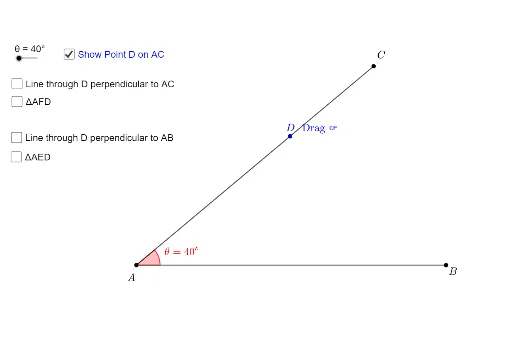
This example demonstrates the dynamic relationship between angles formed by two intersecting lines and their corresponding trigonometric ratios (sine, cosine, tangent) through geometric construction. Key math concepts include angle measurement, trigonometric definitions, and properties of right triangles. GeoGebra commands used are Segment, Rotate, Angle, Point, Distance, OrthogonalLine, and Intersect. Ideal for high school mathematics education to visually explain the geometric basis of trigonometric functions, moving beyond rote memorization.
GeoGebra Commands & Parameters
Segment(A, B) → fRotate(B, θ, A) → CSegment(A, C) → gAngle(B, A, C) → αPoint(g) → DDistance(A, D) → distanceADOrthogonalLine(D, f) → hOrthogonalLine(D, g) → iIntersect(f, h) → EAngle(D, E, A) → βIntersect(f, i) → FSegment(A, E) → jSegment(E, D) → kSegment(D, A) → lSegment(A, F) → mSegment(F, D) → nSegment(D, A) → pAngle(A, D, F) → γ
AI Drawing Prompt Reference
Draw two intersecting lines and dynamically rotate one of them to show the relationship between the angles formed and their trigonometric ratios. Label the intersection point, the endpoint of the rotated line, and the angle between the lines. Calculate the distance from the rotated point to the original line. Draw perpendicular lines from this point to both original lines, find their intersections, and connect the relevant points to form a right triangle. Label the lengths of the sides and the angles, visually demonstrating the geometric meaning of sine, cosine, and tangent values.
The prompt above was compiled from the original drawing commands and is for reference only.