
Discovering Trig Ratios by Benjamin Moore
Loading the math board and drawing, please wait…
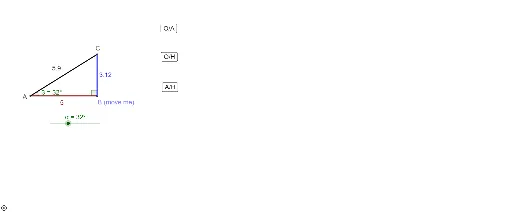
This example demonstrates how to explore the relationships between side lengths and angles in a right triangle through interactive geometry. It covers core trigonometric concepts like sine, cosine, and tangent definitions, angle measurement, and right triangle properties. The construction uses GeoGebra commands such as Intersect, Point, Rotate, Angle, Line, OrthogonalLine, and Segment to build the figure and calculate ratios. Ideal for high school students learning trigonometry basics and practical applications.
GeoGebra Commands & Parameters
Intersect(xAxis, yAxis) → APoint(xAxis) → BRotate(B, α, A) → B'Angle(B, A, B') → βLine(B', A) → aOrthogonalLine(B, xAxis) → bIntersect(a, b) → CSegment(A, B) → cSegment(B, C) → dSegment(C, A) → eAngle(C, B, A) → γ
AI Drawing Prompt Reference
Draw a right triangle with one acute angle adjustable via a slider. Start from a point on the x-axis, rotate it to the right angle vertex to form another acute angle. Draw the two legs and the hypotenuse. Display the measures of the three angles and the lengths of the three sides. Use the slider to adjust the angle and observe the relationships between the side lengths and angles, verifying the definitions of sine, cosine, and tangent.
The prompt above was compiled from the original drawing commands and is for reference only.