
Conic Sections & Probability Demo
Loading the math board and drawing, please wait…
In collections
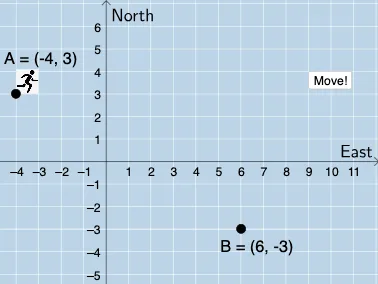
Distance in the Coordinate Plane: Exploration
This example dynamically demonstrates the interplay between conic sections, conditional probability, and fractal geometry, revealing the intrinsic connection between geometric transformations and probability distributions. It involves core math concepts like conic section properties, conditional probability calculation, fractal iteration construction, vector operations, and geometric transformations. Construction highlights include commands/objects like Dilate (scaling), Vector (vector), Line (line), Point (point), Angle (angle), Rotate (rotation), Translate (translation), Polygon (polygon) from GeoGebra. Suitable for high school students and educators exploring complex geometric and probability models visually for teaching and learning.
GeoGebra Commands & Parameters
Dilate(A, If[0 < a ≤ 1, 1 - a, 0], D) → A'Vector(A, A') → uDilate(D, If[1 < a ≤ 2, 2 - a, 0], B) → D'Vector(D, D') → vLine(A, B) → fPoint(f) → FAngle(D, A, F) → αPoint(eq1) → GAngle(G, A, F) → βRotate(H, If[0 ≤ b ≤ 1, (b * β), β], B) → H'Dilate(B, If[1 < b ≤ 2, 2 - b, 0], A) → E'Vector(B, E') → wTranslate(H', w) → H''Angle(B, D, A) → γPolygon(A, D, B) → t1, b_1, a_1, d
AI Drawing Prompt Reference
Create a dynamic illustration showing the interplay between conic sections, conditional probability, and fractal geometry, revealing the intrinsic connection between geometric transformations and probability distributions. Start by scaling a point, then create two vectors, draw a line to find an intersection point, measure angles, perform rotation and scaling, and finally form a polygon to demonstrate the integration of these geometric and probability concepts.
The prompt above was compiled from the original drawing commands and is for reference only.