
Congruency and Rotation Demo
Loading the math board and drawing, please wait…
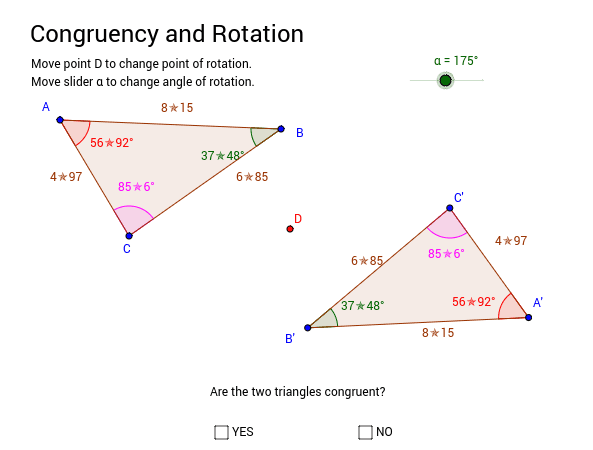
This example demonstrates how congruency is maintained after a triangle undergoes rotation. Key math concepts include congruency, rotation, angles, and polygon construction. It uses GeoGebra commands like Polygon, Angle, and Rotate. Suitable for middle school and above students learning geometric transformations and congruency criteria, or for educational demonstrations.
GeoGebra Commands & Parameters
Polygon(A, B, C) → poly1, c, a, bAngle(C, A, B) → α_1Angle(B, C, A) → γAngle(A, B, C) → ζRotate(A, -α, D) → A'Rotate(B, -α, D) → B'Rotate(C, -α, D) → C'Polygon(A', B', C') → poly1', c', a', b'Angle(B', C', A') → βAngle(A', B', C') → δAngle(C', A', B') → ε
AI Drawing Prompt Reference
Draw a triangle and label its three interior angles. Then rotate the entire triangle around one of its vertices by a certain angle to create a new triangle. Compare the shapes and angles of the original and rotated triangles to demonstrate that rotation preserves the congruency of the triangle.
The prompt above was compiled from the original drawing commands and is for reference only.