
Congruency and Reflection
Loading the math board and drawing, please wait…
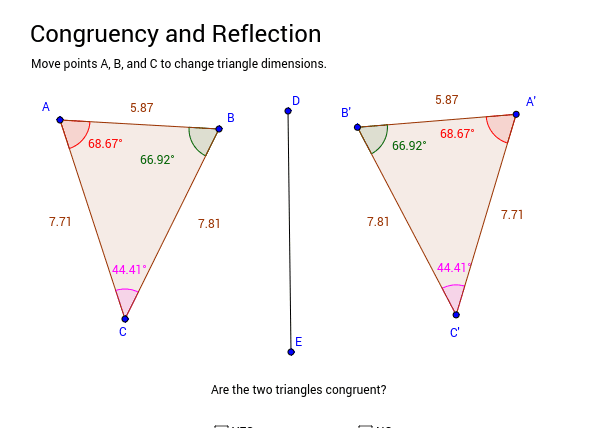
This applet allows students to move the vertices of triangle ABC and the line of reflection, observing changes in lengths and angles to demonstrate the concepts of congruency and reflection. It uses commands like Polygon, Segment, Mirror, and Angle, suitable for middle school and above students learning geometric transformations.
GeoGebra Commands & Parameters
Polygon(A, B, C) → poly1, c, a, bSegment(D, E) → dMirror(A, d) → A'Mirror(B, d) → B'Mirror(C, d) → C'Polygon(A', B', C') → poly1', c', a', b'Angle(C, A, B) → αAngle(B', A', C') → βAngle(B, C, A) → γAngle(A', C', B') → δAngle(C', B', A') → εAngle(A, B, C) → ζ
AI Drawing Prompt Reference
Draw a triangle ABC and add a reflection line. Reflect each vertex of triangle ABC across the line to get A'B'C'. Connect A'B'C' to form a new triangle. Measure and display the three interior angles of both triangles ABC and A'B'C', showing the relationships between corresponding angles before and after reflection to demonstrate reflection and congruency.
The prompt above was compiled from the original drawing commands and is for reference only.