
Cones from a Circle
Loading the math board and drawing, please wait…
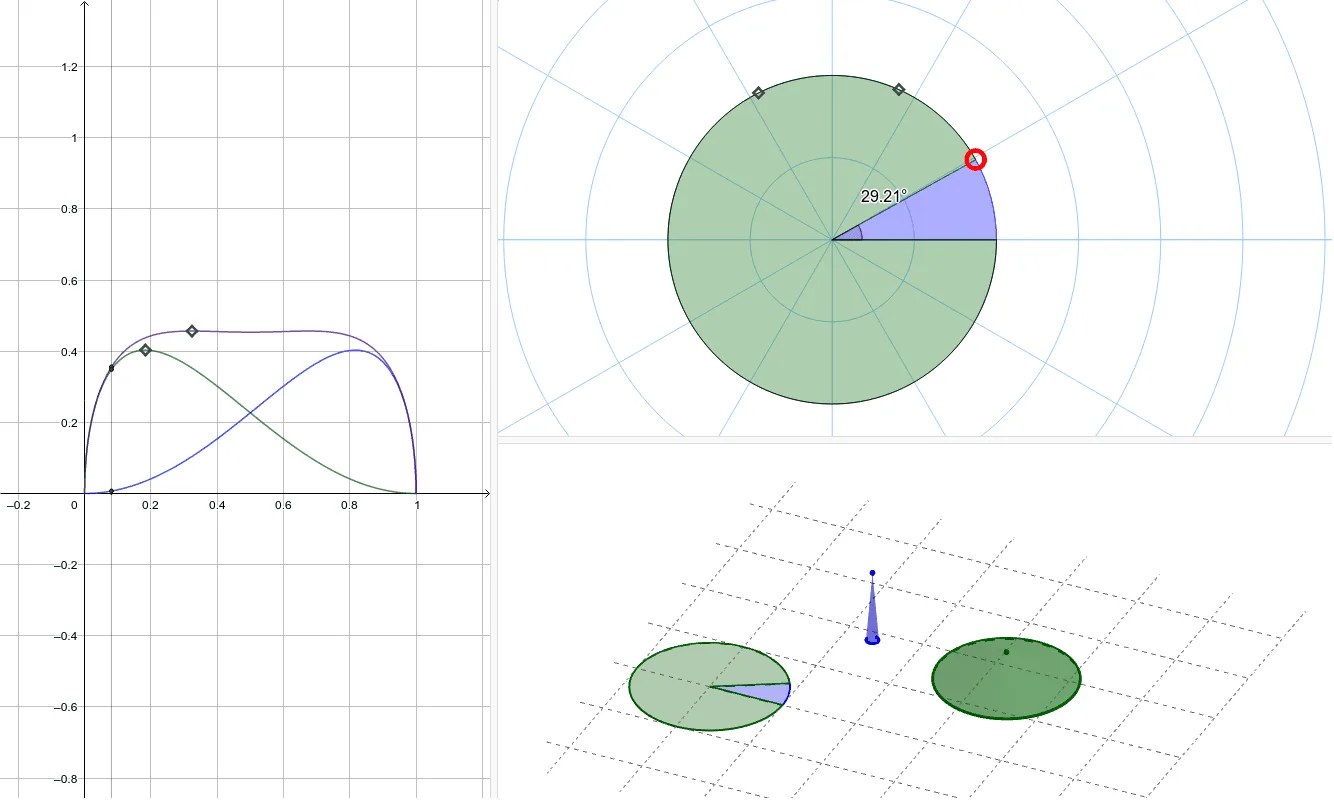
This example demonstrates the dynamic process of generating a cone by rotating a circle. It involves core mathematical concepts such as circle, cone, rotation, locus, derivative, and solid geometry. The construction uses GeoGebra commands and objects like Circle, Point, Segment, CircleSector, Angle, CircleArc, Cone, Locus, Derivative, OrthogonalLine, Intersect, and Max. It is suitable for high school solid geometry and calculus instruction, helping students understand the principles of rotational solids and locus calculations.
GeoGebra Commands & Parameters
Circle(A, B) → cPoint(c) → CSegment(B, A) → g_1CircleSector(A, B, C) → dCircleSector(A, C, B) → eAngle(B, A, C) → αCircleArc(A, B, C) → C1CircleArc(A, C, B) → C2Circle(D, R1, xOyPlane) → hCircle(E, R2, xOyPlane) → kCone(h, H1) → a, p, bCone(k, H2) → i, q, jLocus(H, C) → loc1Locus(G, C) → loc2Locus(F, C) → loc3Derivative(f_1) → f_1'OrthogonalLine(I, xAxis) → lIntersect(f_1, l, (0.0811318365965648, 0.35573198823688496)) → JIntersect(s, l, (0.0811318365965648, 0.3488616651158272)) → KIntersect(f_1', l, (0.0811318365965648, 1.46853653837506)) → LIntersect(t, l, (0.0811318365965648, 0.0068703231210577335)) → MDerivative(s) → s'Intersect(s', xAxis) → NMax(s, 0.1, 0.3) → OMax(f_1, 0.1, 0.6) → PPoint(q) → SPoint(p) → T