
Cone Cross Sections (Anaglyph Glasses)
Loading the math board and drawing, please wait…
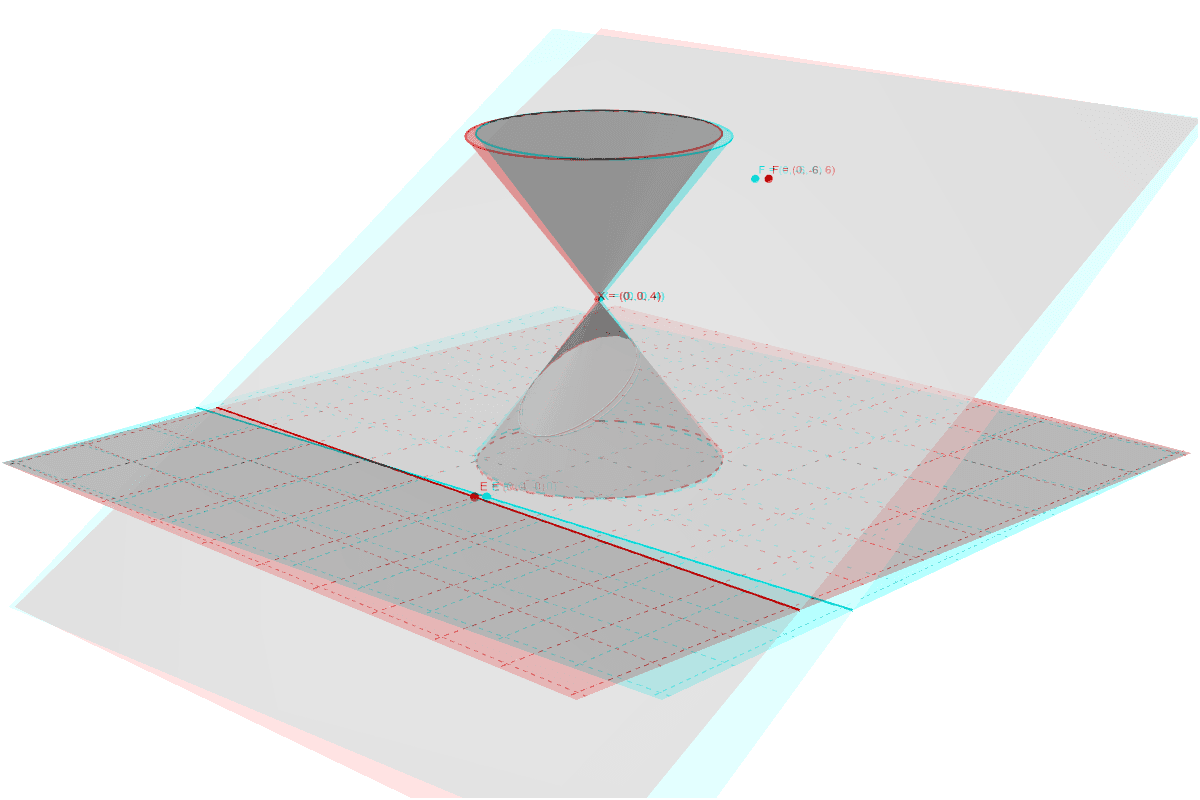
This example demonstrates the formation of cone cross sections. Key mathematical concepts include cones, conic sections, equations, and geometry. Using GeoGebra commands such as Intersect, Point, Circle, Cone, Line, and Plane, a dynamic model of cone cross sections is constructed. Suitable for high school geometry and coordinate geometry courses.
GeoGebra Commands & Parameters
Intersect(xAxis, yAxis) → APoint(xAxis) → BCircle(A, B) → cCone(c, 4) → a, d, bPoint(zAxis) → DCircle(D, 3, zAxis) → eCone(e, -4) → f, g, hLine(E, xAxis) → iPlane(F, i) → jIntersectPath(j, a) → kCorner(k) → G, H, K, LIntersectPath(j, f) → pCorner(p) → I, J, M, N
AI Drawing Prompt Reference
Draw a cone and show how it intersects with a plane to form an ellipse, parabola, and hyperbola. First, draw a circle, then create two cones with this circle as the base, pointing in opposite directions. Next, draw a point on the axis and use it as the center to draw another circle, then create another cone with this circle as the base, pointing in the opposite direction. Finally, draw a plane that intersects with the two cones to form an ellipse, parabola, and hyperbola.
The prompt above was compiled from the original drawing commands and is for reference only.