
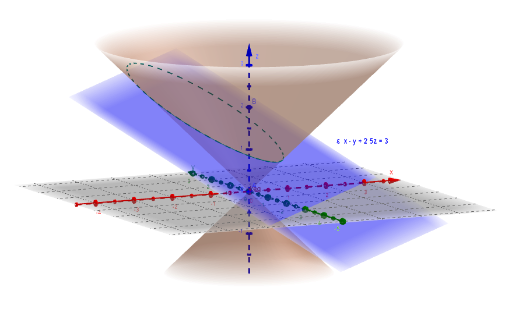
Cone and Plane Intersection Curve
Loading the math board and drawing, please wait…
In collections
GeoGebra 3D Grafikrechner mit AR - Beispielsammlung
This example demonstrates the curve formed by the intersection of a cone (double cone) with a plane, showcasing conic sections like ellipses and parabolas. Core math concepts include conic sections, analytical geometry. Construction uses commands InfiniteCone, IntersectPath, and LaTeX with objects a, b, c, d, A, B, keg, ε, e, and text elements Text1, Text2. Suitable for high school and above to explore geometric properties of cone sections and conic curves.
GeoGebra Commands & Parameters
InfiniteCone(A, B - A, 0.8) → kegIntersectPath(ε, keg) → eLaTeX(ε, true, true) → Text1
AI Drawing Prompt Reference
Draw a double cone centered at point A with vector B-A as its axis and a height of 0.8, and find its intersection with a plane to show the resulting ellipse or parabola. First create the double cone, then find the intersection line with the plane, and finally display the plane's equation using LaTeX.
The prompt above was compiled from the original drawing commands and is for reference only.