
Computing the Area of a Composite Shape
Loading the math board and drawing, please wait…
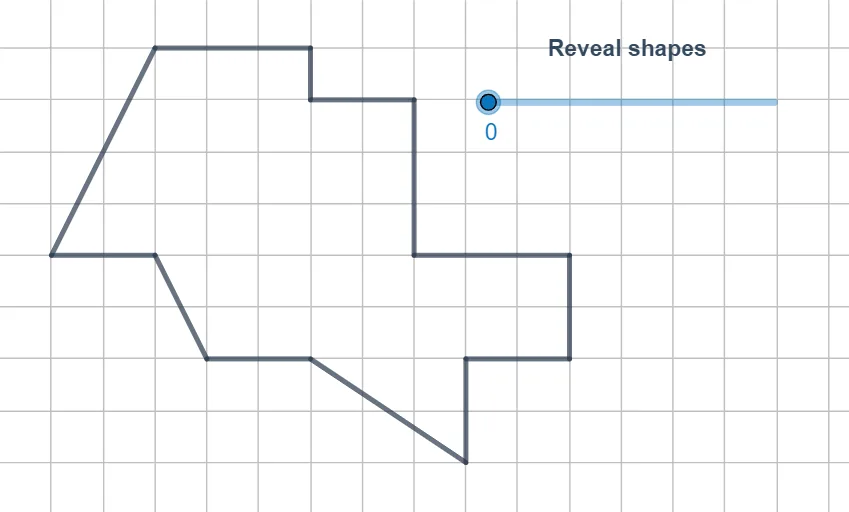
This example demonstrates how to compute the area of a composite region built from circular and polygonal parts by decomposing the figure into subregions and assembling their contributions. It highlights key ideas such as composite-area reasoning, the relationship between circle/polygon geometry, and algebraic constraints that lead to quadratic equations and their roots for determining critical lengths or intersection-defined points. Construction-wise, GeoGebra uses Point to define many reference and derived points (e.g., A, B, E, F, … and indexed counterparts like A_1, B_1, C_1, …), Polygon to form the boundaries of the composite and sub-polygons, and PointIn to test whether a point lies inside a target region—supporting the logic of which parts are included in the area calculation. The setup is suitable for advanced secondary students and early university learners studying geometry, modeling with dynamic constructions, and connecting geometric constraints to quadratic algebra.
GeoGebra Commands & Parameters
Point(Circle[W_1, 4]) → Z_1Polygon(W_1, Z_1, A_2) → t2, a_2, w_1, fPoint(Circle[B_2, 7]) → C_2Polygon(B_2, C_2, D_2, E_2) → q3, b_2, c_2, d_2, e_2Point(Circle[F_2, 1]) → G_2Polygon(F_2, G_2, H_2) → t1, h_2, f_2, g_2Point(Circle[I_2, 3]) → J_2Polygon(I_2, J_2, K_2) → t4, k_2, i_2, j_2Point(Circle[L_2, 3]) → M_2Polygon(L_2, M_2, N_2, O_2) → q4, l_2, m_2, n_2, o_2Point(Circle[P_2, 2]) → Q_2Point(Circle[T_2, 2]) → U_2Polygon(T_2, U_2, V_2, W_2) → q1, t_2, u_2, v_2, w_2PointIn(q1) → Pointq1_1Point(Circle[V_1, 4.47213595499958]) → Z_2Polygon(V_1, Z_2, L_3, M_3, N_3, A_3, E_3, F_3, G_3, H_3, I_3, J_3, K_3) → poly1, v_1, k_3, l_3, m_3, n_3, z_2, a_3, e_3, f_3, g_3, h_3, i_3, j_3PointIn(t2) → Pointt2PointIn(q4) → Pointq4PointIn(q1) → Pointq1PointIn(t1) → Pointt1PointIn(q3) → Pointq3PointIn(t4) → Pointt4_1PointIn(t4) → Pointt4
AI Drawing Prompt Reference
Draw a composite shape consisting of multiple circles and polygons. Start by drawing a circle and taking a point Z1 on it. Use Z1, A2, and W1 to draw a triangle t2. Then draw a circle with B2 as the center, take a point C2, and use C2, D2, and E2 to draw a quadrilateral q3. Next, draw a circle with F2 as the center, take a point G2, and use G2 and H2 to draw a triangle t1. Then draw a circle with I2 as the center, take a point J2, and use J2 and K2 to draw a triangle t4. After that, draw a circle with L2 as the center, take a point M2, and use M2, N2, and O2 to draw a pentagon q4. Then draw a circle with P2 as the center, take a point Q2, and draw a circle with T2 as the center, take a point U2, and use T2, U2, V2, and W2 to draw a pentagon q1. Finally, draw a circle with V1 as the center, take a point Z2, and use V1, Z2, L3, M3, N3, A3, E3, F3, G3, H3, I3, J3, and K3 to draw a complex polygon poly1.
The prompt above was compiled from the original drawing commands and is for reference only.