
Complex Mappings of a Line
Loading the math board and drawing, please wait…
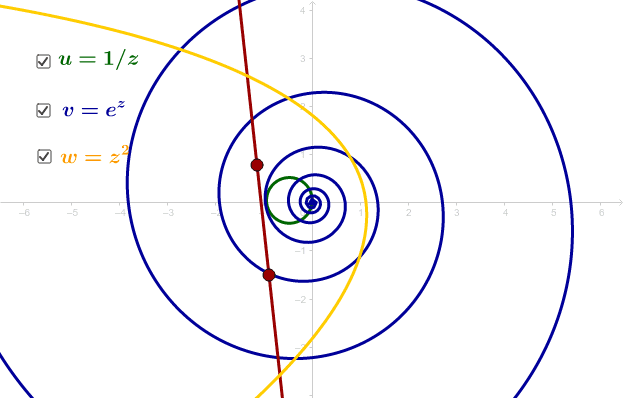
This GeoGebra example demonstrates how a straight line in the complex plane transforms under various complex mappings. By dragging the red points, users can explore the images of the line under operations such as translation, rotation, scaling, and reflection, revealing the geometric nature of complex functions. Core mathematical concepts include complex numbers, complex-plane geometry, similarity transformations (conformal mappings), reflection, and continuity. The construction uses the Line command to define the original line, Point objects as draggable controls, and Locus to trace the mapped images. Key objects include D, C, d, a, b, Z, u, v, w, and text labels. This is suitable for high school or early university students learning the geometric interpretation of complex numbers, linear transformations, and locus problems, and serves as an interactive teaching tool for visualizing algebraic-to-geometric connections.
GeoGebra Commands & Parameters
Line(C, D) → dPoint(d) → ZLocus(u, Z) → loc2Locus(v, Z) → loc3Locus(w, Z) → loc1
AI Drawing Prompt Reference
Draw a straight line in the complex plane, with two draggable red points controlling its position. Place a moving point on the line, and apply three distinct complex transformations (such as translation, rotation, scaling, or reflection) to generate three corresponding locus curves. Each curve should be in a different color and labeled with its transformation type. The figure should clearly show the geometric relationship between the original line and its transformed images, emphasizing the conformal nature of complex mappings.
The prompt above was compiled from the original drawing commands and is for reference only.