
Comparing Fractions with Same Numerator
Loading the math board and drawing, please wait…
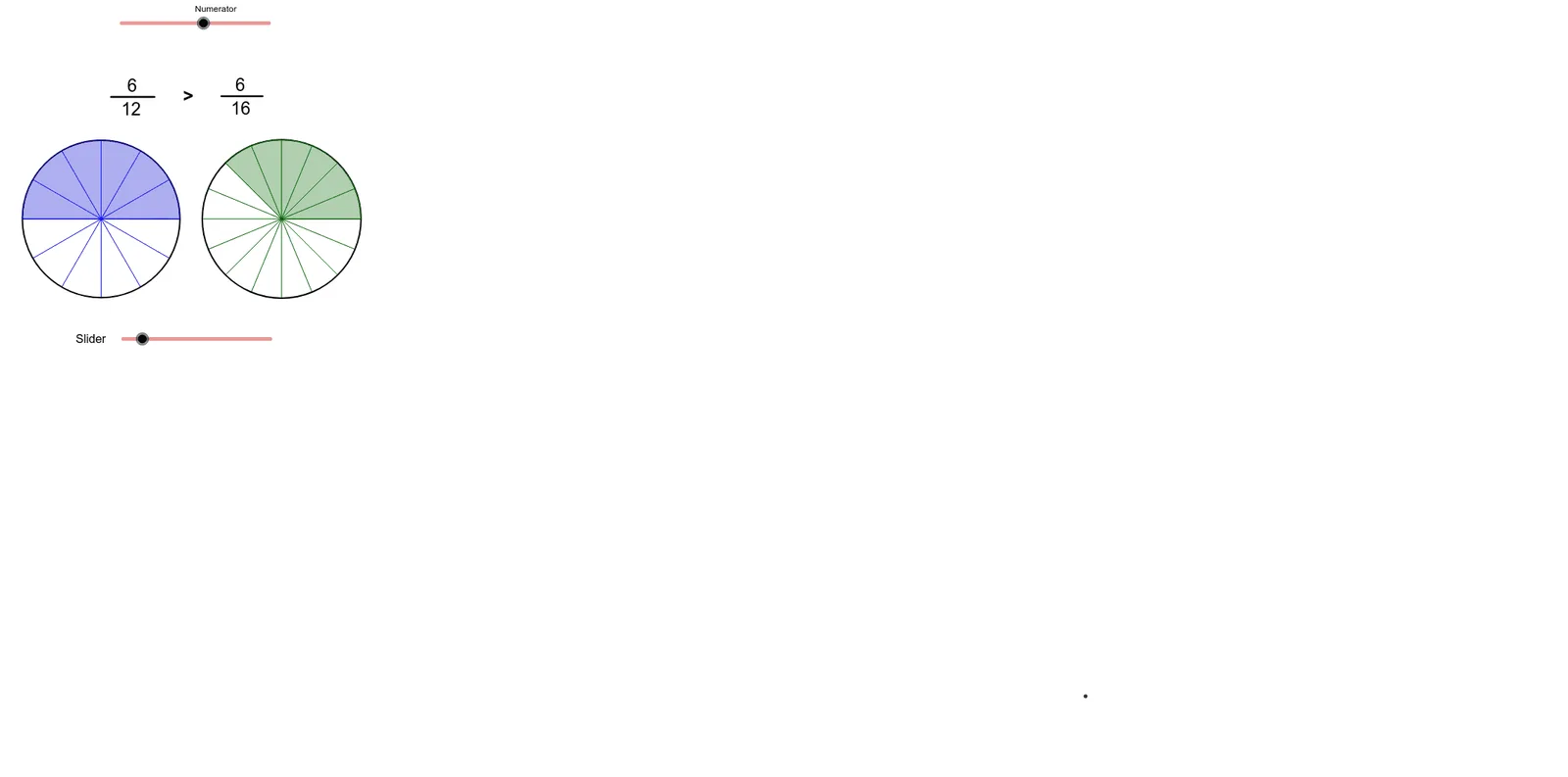
This example demonstrates how to visually compare fractions with the same numerator. It involves core math concepts like fraction comparison, geometric representation, and properties of fractions with identical numerators. The construction uses GeoGebra commands and objects such as RandomElement, If, Point, Circle, Sequence, Sector, Textfield, Segment, and AttachCopyToView. Suitable for middle school mathematics education to help students intuitively understand fraction comparison methods.
GeoGebra Commands & Parameters
RandomElement({11, 12, 13, 14, 15}) → D1If(D2 ≟ 1, D1, D1 + D2) → bPoint(xAxis) → CPoint(xAxis) → DCircle(C, D) → ePoint(xAxis) → EPoint(xAxis) → FCircle(E, F) → fSequence(Rotate[D, (360° * i / D1), C], i, 1, D1) → list1Sequence(Segment[C, Element[list1, i]], i, 1, D1 + 1) → list2Sector(e, D, Element[list1, N1]) → gSequence(Rotate[F, (360° * i / b), E], i, 1, b) → list3Sequence(Segment[E, Element[list3, i]], i, 1, b) → list4Circle(E, 1.3) → kSector(f, F, Element[list3, New]) → hTextfield(D1) → InputBox1Textfield(N1) → InputBox2Textfield(Mul) → InputBox3Segment(Q, R) → jSegment(Q, R) → lSegment(S, T) → mAttachCopyToView(PolyLine[(12.2205876488494,-5.88921046287111), (NaN,NaN), (12.2205876488494,-5.88921046287111), true], 1, (-3.6253531256903755, -5.8892104628711035), (8.613381618872829, 4.292598364169786), (0, 948), (1140, 0)) → stroke1
AI Drawing Prompt Reference
Create a geometric construction to visually compare fractions with the same numerator, showing two concentric circles divided into different numbers of sectors, with rotating and connecting line segments to represent the size relationships of the fractions, and include text labels for the fraction values and comparison results.
The prompt above was compiled from the original drawing commands and is for reference only.