
Commutative Property of Multiplication Using Models
Loading the math board and drawing, please wait…
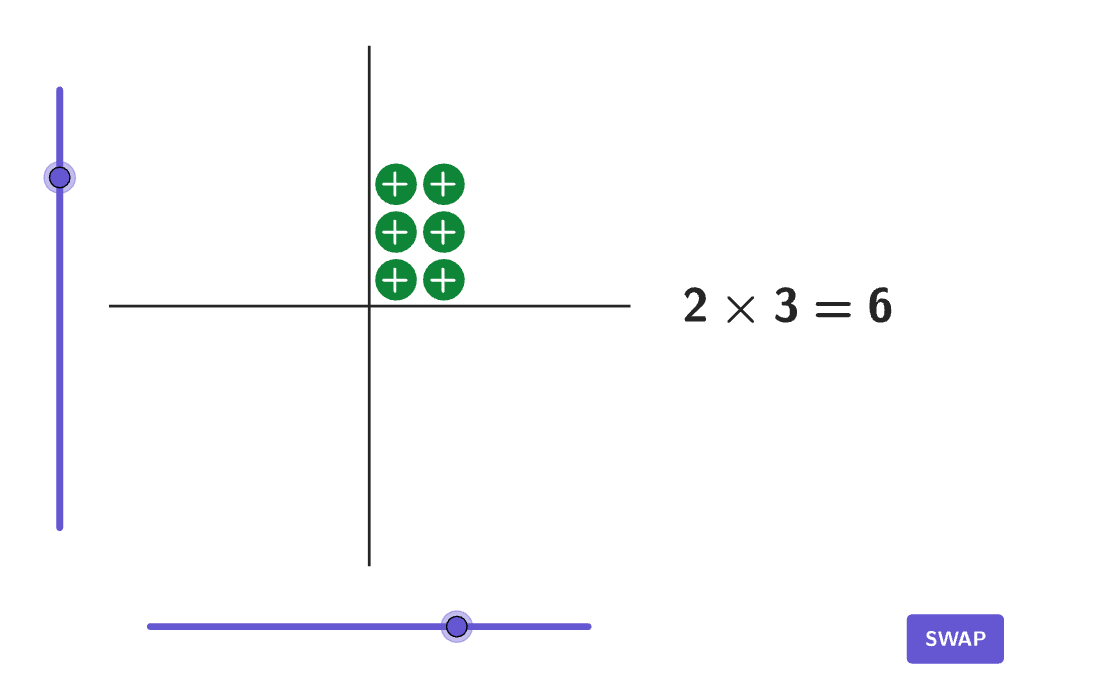
This example demonstrates the commutative property of multiplication through an interactive model, allowing students to explore products of positive and negative numbers. Key mathematical concepts include the commutative law, sign rules, and rational number operations. Construction involves using GeoGebra commands like Polygon, Corner, and Flatten to create visual representations. Suitable for grades 6-8 to reinforce number sense and rational number skills.
GeoGebra Commands & Parameters
Polygon(Zip[PixelsToPoint[Corner[1], Corner[3], Corner[5], A], A, {(pixelsLeft, pixelsTop), (pixelsLeft, y(Corner[5]) - pixelsBottom), Corner[5] - (pixelsRight, pixelsBottom), (x(Corner[5]) - pixelsRight, pixelsTop)}]) → borderBoxCorner(5) → layoutAppSizePolygon({(-5.5, -5.5), (-5.5, 5.5), (5.5, 5.5), (5.5, -5.5)}) → gridAreaFlatten(Sequence[Sequence[(n + sub1, m + sub2), n, If[num1 > 0, 1, num1], If[num1 > 0, num1, -1]], m, If[num2 > 0, 1, num2], If[num2 > 0, num2, -1]]) → PointsCorner(textSignSize, 4) → CornerSizeZip(Text[If[positive, "+", "-"], n + (((-widthText)) / 2, heightText / 2) - pointMove, true, true], n, Points) → textSequenceZip(Circle[n, 0.4], n, Points) → circles
AI Drawing Prompt Reference
Draw an interactive model demonstrating the commutative property of multiplication, featuring a border box, a grid area, points representing positive and negative numbers, circles connecting the points, and labels for addition and subtraction signs, arranged to explore the properties of products involving positive and negative numbers.
The prompt above was compiled from the original drawing commands and is for reference only.