
Circular Surfaces 3D
Loading the math board and drawing, please wait…
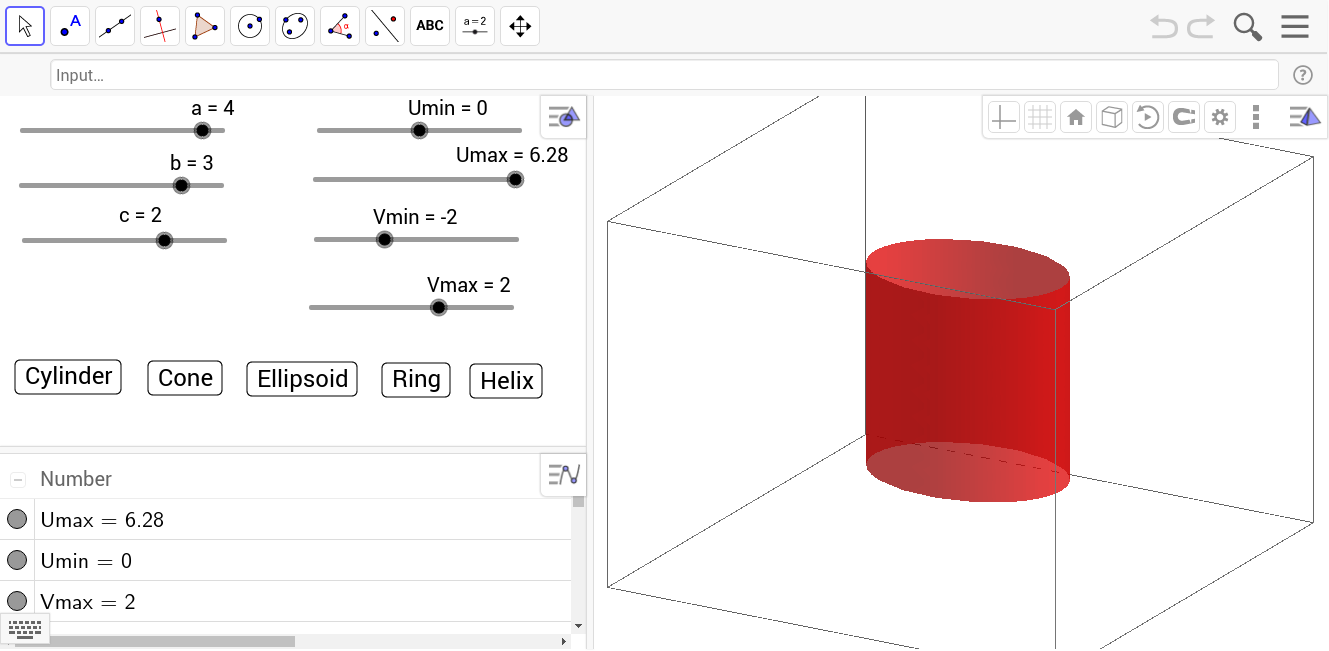
This example demonstrates how to use GeoGebra to draw 3D circular surfaces. Key mathematical concepts include the equations of surfaces in coordinate geometry. The Surface command is used to construct cylinders, ellipsoids, cones, and other 3D shapes.
GeoGebra Commands & Parameters
Surface(((a + (b * cos(v))) * cos((c * u))), ((a + (b * cos(v))) * sin((c * u))), ((b * sin(v)) * e) + (d * u), u, Umin, Umax, v, Vmin, Vmax) → helixSurface((a * cos(u)), (b * sin(u)), (c * v), u, Umin, Umax, v, Vmin, Vmax) → cylinderSurface(((a * cos(v)) * cos(u)), ((b * cos(v)) * sin(u)), (c * sin(v)) + d, u, Umin, Umax, v, Vmin, Vmax) → ellipsoidSurface(((a * u) * cos(v)), ((b * u) * sin(v)), (c * u) + d, u, Umin, Umax, v, Vmin, Vmax) → coneSurface(((a + (b * cos(v))) * cos(u)), ((a + (b * cos(v))) * sin(u)), ((b * sin(v)) * e) + d, u, Umin, Umax, v, Vmin, Vmax) → ring
AI Drawing Prompt Reference
Draw a set of circular surfaces in 3D space: first, a helical tube with circular cross-section rotating and rising along its axis; second, a cylinder with elliptical base extending vertically; third, an ellipsoid centered slightly above the origin; fourth, a cone expanding outward from its apex; finally, a torus formed by rotating a small circle around a larger circle. All surfaces are defined by parametric equations with varying radii, heights, and offsets to showcase the diversity of 3D geometry.
The prompt above was compiled from the original drawing commands and is for reference only.