
Circle Reflection
Loading the math board and drawing, please wait…
In collections
Modeling with Complex Numbers
Modeling with Complex Numbers
Modeling with Complex Numbers
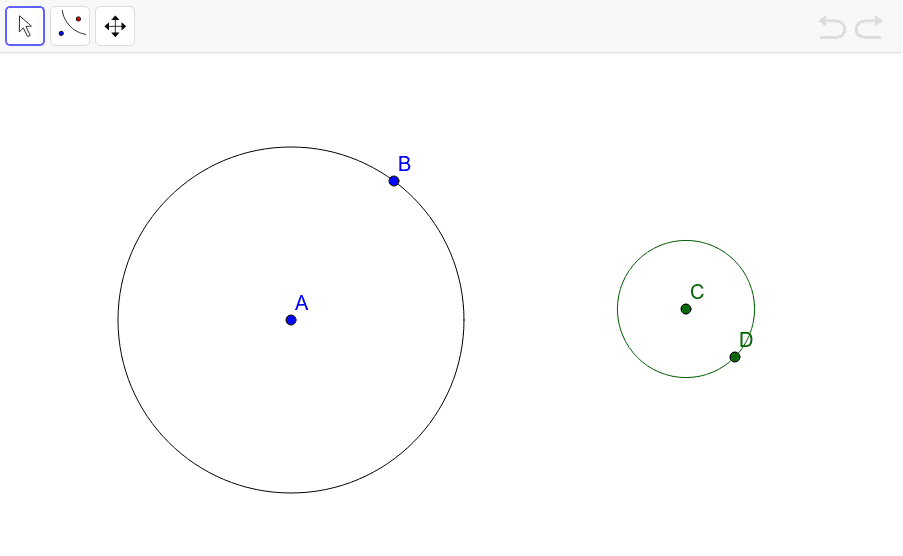
This example demonstrates the reflection of a circle using the 'Reflect About a Circle' tool in GeoGebra. Key mathematical concepts include reflection transformations and properties of circles. By clicking on two circles, the reflection effect can be observed. The construction summary uses the Circle command. Suitable for middle school and above students to learn about reflection transformations and circle properties.
GeoGebra Commands & Parameters
Circle(A, B) → cCircle(C, D) → d
AI Drawing Prompt Reference
Draw two circles. The first circle has its center at one point and passes through another point on its circumference. The second circle has its center at a different point and passes through a third point. Position the circles so they are separate or partially overlapping to show the reflection effect. The figure should illustrate the reflection of the first circle about the second circle, where the reflected image maintains equal distance from the second circle. The overall composition should clearly show the geometric relationship between the circles, suitable for demonstrating reflection transformations and circle properties.
The prompt above was compiled from the original drawing commands and is for reference only.