
Checking Congruence with GeoGebra
Loading the math board and drawing, please wait…
In collections
Learn Geometry
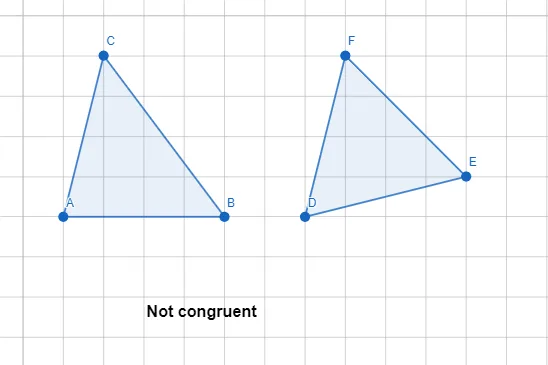
This example demonstrates how to use GeoGebra to check if two figures are congruent. It involves core math concepts like the definition and criteria for congruent figures. Construction highlights include using Polygon and If commands, along with objects such as A, B, C, t1, c, a, b, D, E, F, t2, f, d, e, text1. Suitable for middle school and above students to understand congruence criteria.
GeoGebra Commands & Parameters
Polygon(A, B, C) → t1, c, a, bPolygon(D, E, F) → t2, f, d, eIf(AreCongruent[t1, t2], "Congruent", "Not congruent") → text1
AI Drawing Prompt Reference
Draw two triangles ABC and DEF using the Polygon command. Then use the If command to check if these triangles are congruent, with the output being either 'Congruent' or 'Not congruent'.
The prompt above was compiled from the original drawing commands and is for reference only.