
Center of Gravity of a Rectangular Lamina
Loading the math board and drawing, please wait…
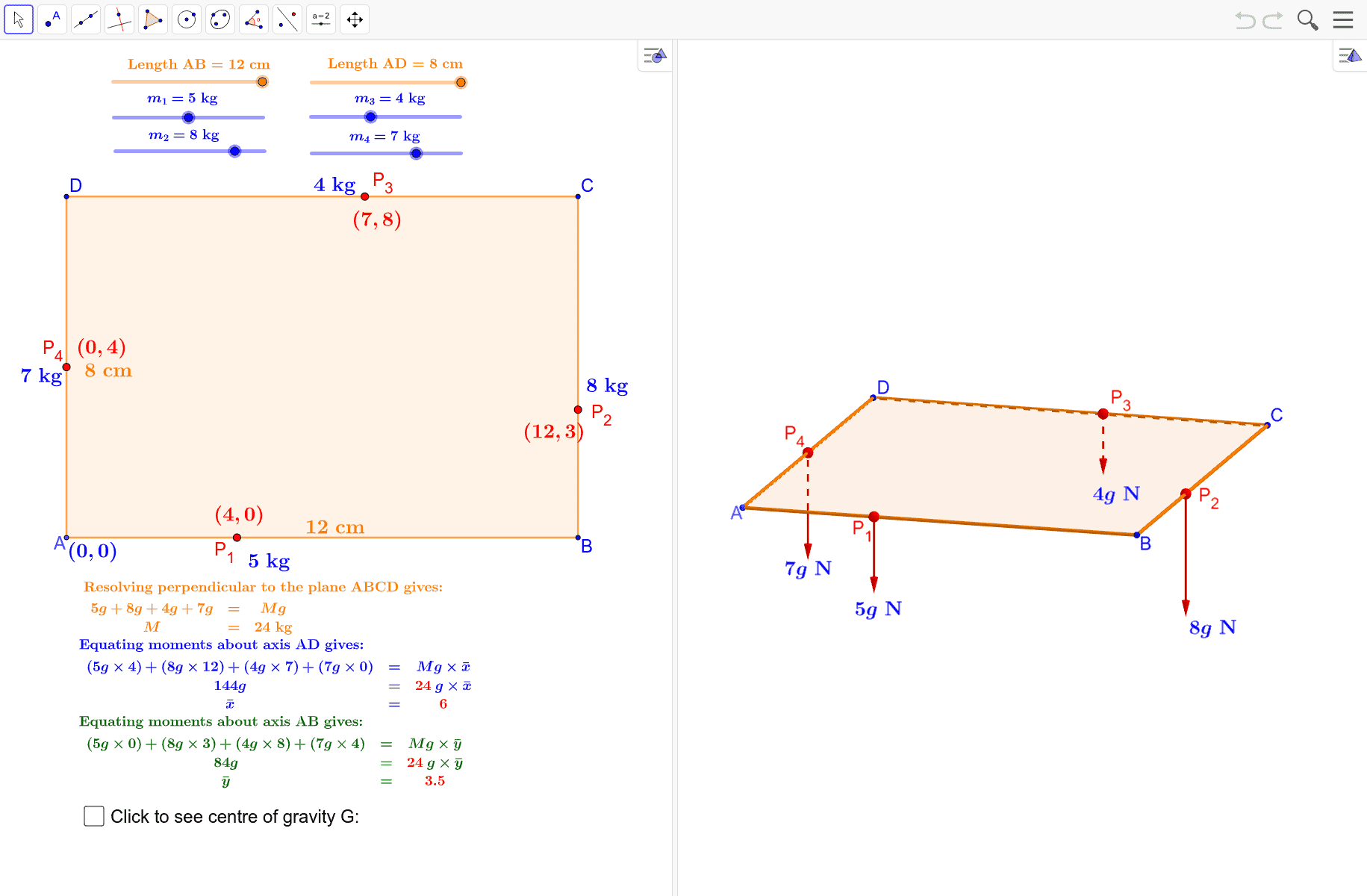
This example demonstrates the center of gravity of a rectangular lamina. Key mathematical concepts include geometric construction and coordinate geometry. Using GeoGebra commands such as Polygon, Point, Vector, etc., it dynamically shows how to find the center of gravity of a rectangle. Suitable for students at the junior high school level and above to learn about geometric construction and the concept of the center of gravity.
GeoGebra Commands & Parameters
Polygon(A, B, C, D) → q1, a_1, b_1, c, dPoint(q1) → NPoint(q1) → MPoint(q1) → LPoint(q1) → KDynamicCoordinates(K, round(x(K)), round(y(K))) → P_1DynamicCoordinates(L, round(x(L)), round(y(L))) → P_2DynamicCoordinates(M, round(x(M)), round(y(M))) → P_3DynamicCoordinates(N, round(x(N)), round(y(N))) → P_4Vector(P_1, E) → uVector(P_2, F) → vVector(P_3, G_{1}) → wVector(P_4, H) → eMidpoint(A, B) → IMidpoint(A, D) → JSegment(P, G) → hSegment(Q, G) → iMidpoint(Q, G) → RMidpoint(P, G) → S
AI Drawing Prompt Reference
Draw a rectangle and find its center of gravity. First, construct the rectangle, then take points on its sides and connect these points to the intersection points of the diagonals. From these new points, draw vectors to the vertices of the rectangle. Find the midpoints of the sides and connect them to the midpoints of the diagonals to show the center of gravity.
The prompt above was compiled from the original drawing commands and is for reference only.